Private maritime operations

Run every port call from one controlled operating file.

MERIDIAN keeps visits, services, documents, approvals, and closeout together for management teams, vessel crews, and fleet or destination operators. Principals receive clear oversight; ports, marinas, agents, and vendors see only the work assigned to them.

  • Approval-gated access
  • Scoped partner invitations
  • Planning-grade weather, captain-reviewed

One operating record

Stop rebuilding the same port call across messages, spreadsheets, and shared drives.

Principal direction, vessel readiness, local services, approvals, documents, and closeout often move through different desks and disconnected threads. MERIDIAN keeps the accountable record together while each outside participant receives only the scope needed to act.

Principal or programme intent

Visit and readiness plan

Scoped local execution

Review and approvals

Closeout record

Capabilities

The work stays connected from planning through closeout.

Four capability areas run on one shared record, so a call never has to be rebuilt as it moves between desks.

Operations

Visits and operations

Coordinate movements, tasks, service requests, and accountable owners around each call.

Documents

Documents and readiness

Track vessel particulars, clearances, visit packets, expiry dates, and missing-item blockers.

Commercial

Quotes, approvals, and invoicing

Keep commercial decisions and supporting records linked to the work they authorize.

Weather

Planning-grade weather context

Review forecast windows and official references as decision context, never as a substitute for the captain.

Who it’s for

A clear workspace for every team in the operating chain.

Your role determines what you see. The organization carrying the operation retains the complete file; oversight stakeholders receive concise visibility, and connected partners contribute only to assigned work.

Operating and oversight profilesThey carry or oversee the file
MAMANAGEMENT & AGENCY

Management agencies

Who
Vessel-management companies, yacht or ship agencies, and client-service desks.
What
Coordinate managed vessels, port calls, services, approvals, vendor work, and principal updates.
Why
Keep portfolio oversight and closeout history accountable across vessels and teams.
See the management workflow
MOPROPERTY OPERATIONS

Marina operators and property teams

Who
Marina, dock, and property operators deploying MERIDIAN for a destination.
What
Coordinate slips, tenant requests, utilities, work orders, notices, dock services, and vendor access.
Why
Keep property work in one scoped workflow instead of separate tools and conversations.
Explore the marina workflow
HMHARBOR OPERATIONS

Harbor master and port office

Who
Harbor or port offices deploying a Destination Network, or authorized staff invited into a vessel call.
What
Coordinate arrival, berth, permit, notice, and exception information shared for each call.
Why
Maintain a port-scoped picture without inheriting the vessel’s wider programme.
Explore the port-office workflow
CODAILY VESSEL DESK

Captains and vessel operators

Who
Captains, vessel offices, and designated onboard or shoreside operating teams.
What
Coordinate movements, crew logistics, service work, documents, vendor timing, and departure readiness.
Why
Work from one practical daily record while preserving captain authority.
See the vessel workflow
FOSCHEDULED OPERATIONS

Commercial, passenger, and charter fleets

Who
Fleet operators, dispatch teams, and vessel-support desks.
What
Coordinate recurring movements, vessel tasks, passenger support, services, and exceptions across a fleet.
Why
Create a repeatable operating rhythm while keeping exceptions and responsibilities visible.
See the fleet workflow
PFPRINCIPAL OVERSIGHT

Principals and family offices

Who
Principals, representatives, and family-office teams responsible for oversight and approvals.
What
Review readiness, service status, approvals, expenditure context, and executive reporting.
Why
Maintain informed control without managing dock-level operational noise.
See the oversight experience
Connected participantsInvited to the specific request, document, or job — no platform to buy
MTINVITED TENANT ACCESS

Marina tenants and slipholders

Who
Tenants and authorized representatives invited by a participating marina or harbor.
What
Submit property-scoped requests, receive notices, arrange access, and follow status.
Why
Use one clear marina-provided channel without administering the wider platform.
See how invited tenant access works
SVINVITED VENDOR ACCESS

Service vendors and contractors

Who
Dispatchers, technicians, and closeout staff invited to a specific job.
What
Receive the approved scope and access window, exchange status, submit quotes or supporting records, and document completion.
Why
Work from the information needed for the job without buying access to or seeing the wider operation.
See how invited vendor access works

Plans by operating structure

One platform. Four ways to carry the operation.

Choose the organization responsible for the complete operating file. Individual roles and connected participants receive the workspace and access appropriate to that plan.

Primary fitFleet-led

MERIDIAN Management Fleet

Management companies, family offices, and mixed fleets with oversight across multiple vessels and programmes.

from $6,500/ mo up to 3 vessels

View plan details →
Network-led

MERIDIAN Destination Network

Marinas, harbors, port offices, and multi-property destinations managing visiting vessels.

from $2,500/ mo per property

View plan details →
Agency-led

MERIDIAN Agency Desk

Yacht and ship agents, management desks, and port-service companies running visits for clients.

from $1,750/ mo per agency

View plan details →
Vessel-led

MERIDIAN Vessel Desk

A yacht, exploration vessel, commercial craft, or private vessel office carrying its own operating file port to port.

from $1,250/ mo per vessel

View plan details →

Vendor access is free when invited; tenant access is included where the marina or harbor runs MERIDIAN. Final scope and pricing are confirmed in a written proposal.

Trust & scoped access

The complete record stays with the operation. Access does not.

Access is approval-gated, invited partners are scoped to a single thread, and the operating file stays with the organization that owns it.

Access

Approval-gated access

Production and evaluation access is reviewed; nothing self-activates.

Scope

Scoped participation

Invited partners see only the visit, request, document, invoice, task, or job they are authorized to support.

Continuity

Operating continuity

The vessel or operating organization retains the port-call history after outside work closes.

Discipline

Captain-review discipline

Weather information remains planning-grade context and never replaces captain judgment.

Inside the workspace

What the operating file actually looks like.

Three of the surfaces a working call runs through — the vessel intake, the anchorage guide, and the service desk — captured from the current build.
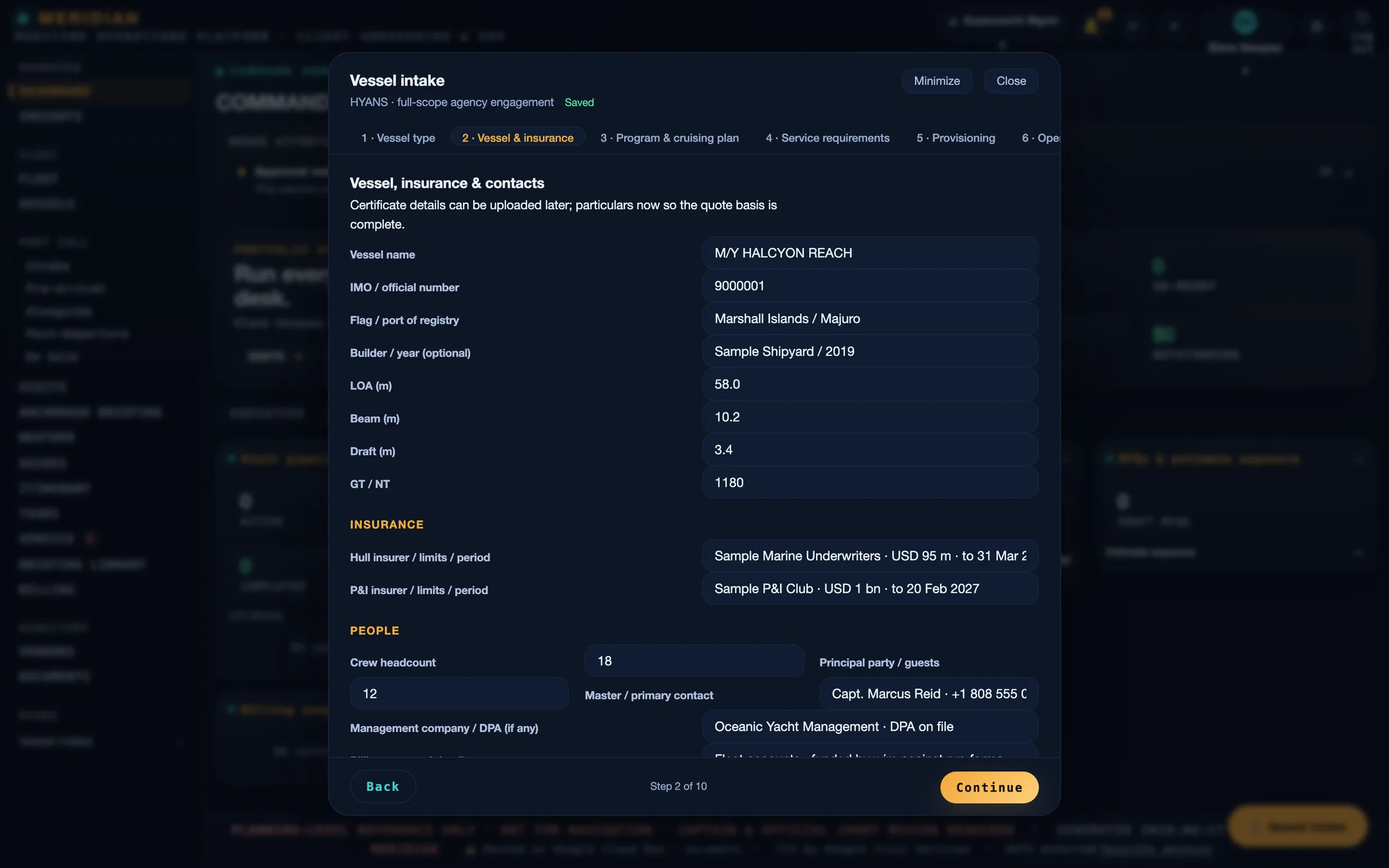
The MERIDIAN vessel-intake wizard on step 2, showing vessel particulars, hull and P&I insurance, and contact fields filled in for a sample vessel.
Vessel intake — step 2 of 10.
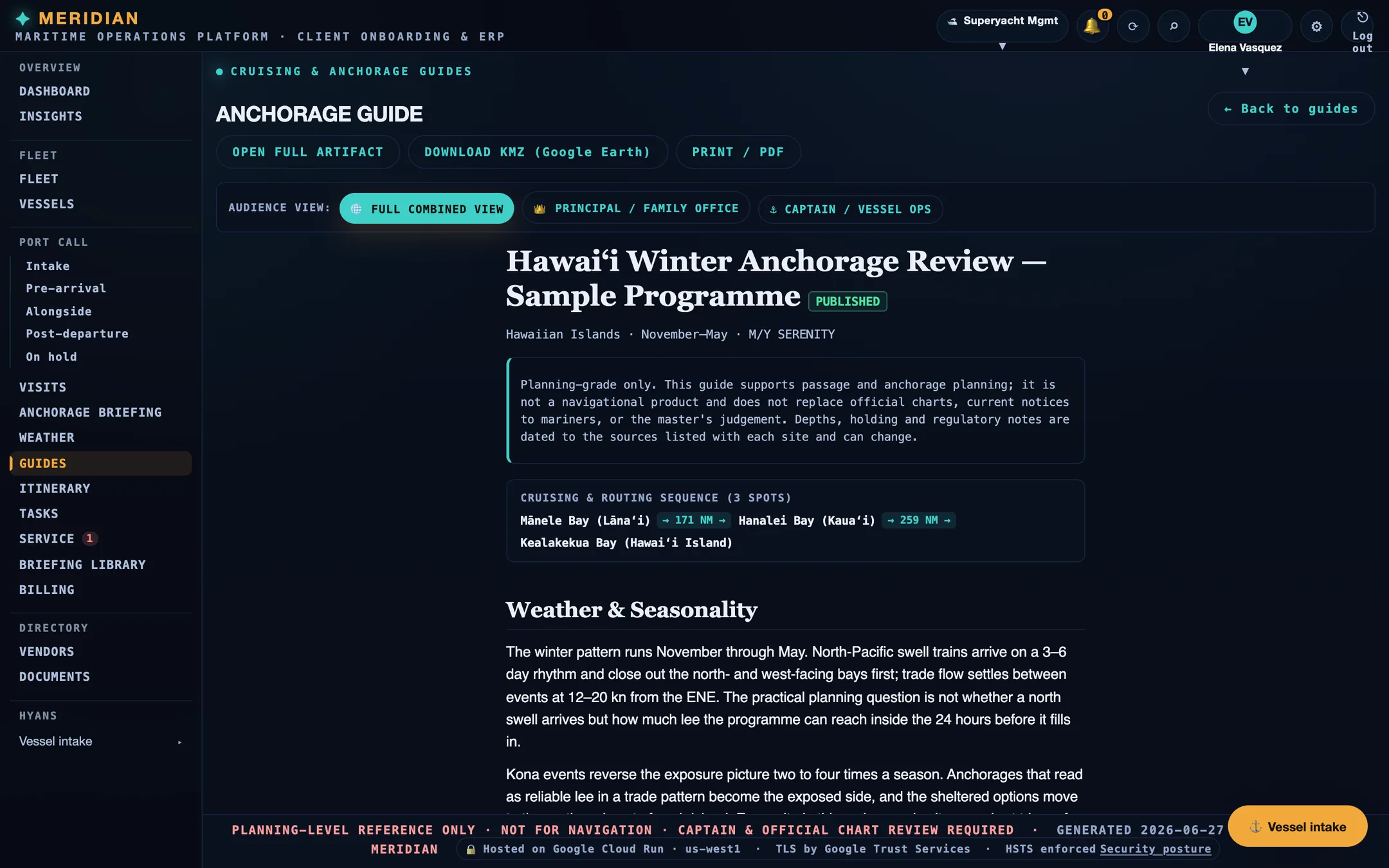
A published MERIDIAN anchorage guide with the planning-grade disclaimer, a three-spot cruising and routing sequence, and the weather and seasonality section.
A published guide, with audience views for the principal and for vessel operations.
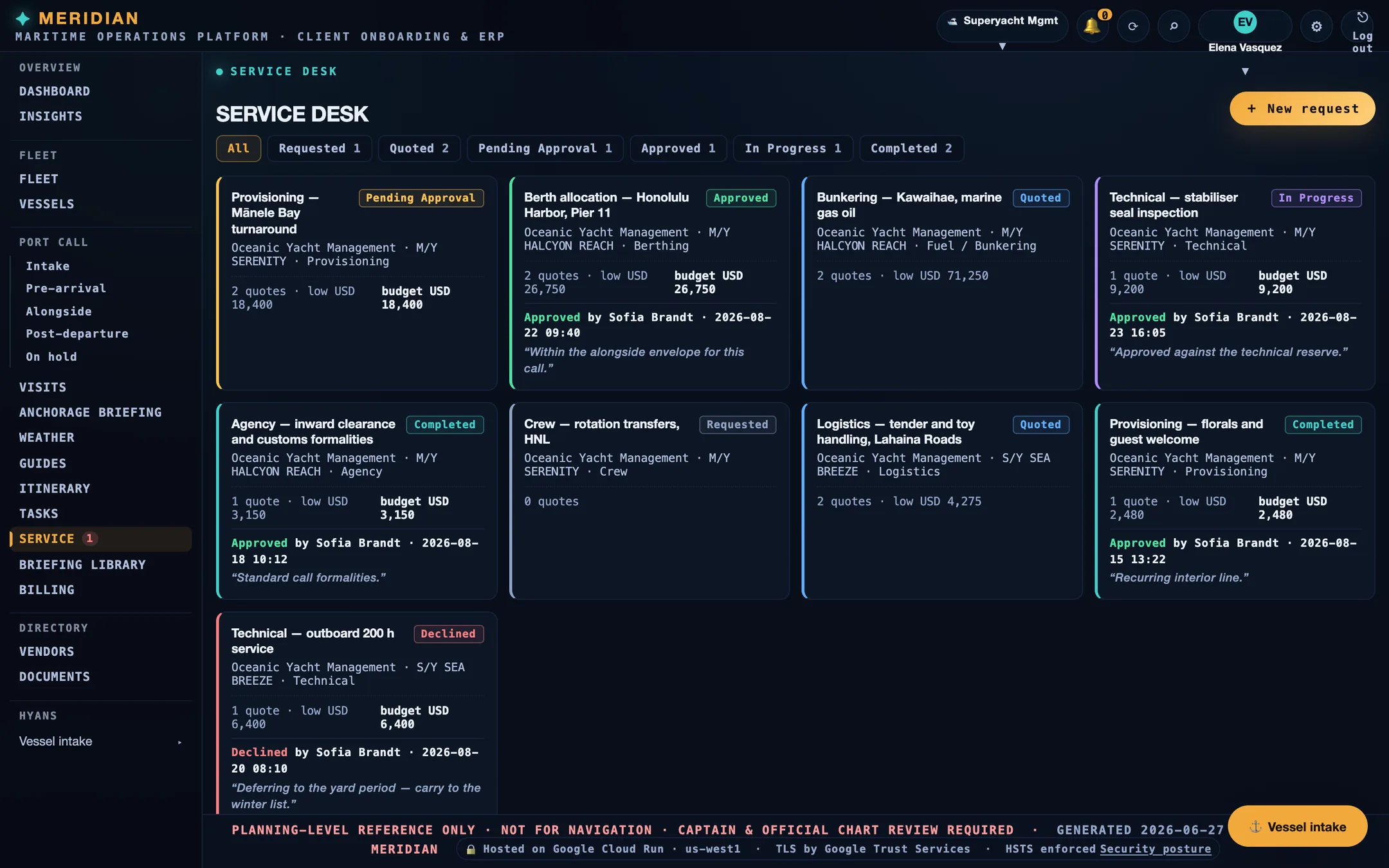
The MERIDIAN service desk showing sample requests across requested, quoted, pending approval, approved, in progress, and completed states, each with quotes and an approval decision line.
The service desk, filtered by state.

Screens are from the current build, populated with sample data. Vessels, organisations, people, vendors, and figures shown are illustrative and are not those of any client.

See it before you commit

Watch how one operating file carries a port call — then walk it yourself.

Evaluation access is reviewed, not self-serve. After intake and scope review, approved teams receive a guided overview of the capabilities relevant to their role, then a demo workspace.

Illustrative walkthrough · sample data, not live customer activity
  1. Start intake. Tell us your operating structure and what you run.
  2. Scope review. Platform staff review the request; nothing self-activates.
  3. Approved access. You receive a private link to a guided overview for your role.
  4. Guided overview. Walk the operating file, capabilities, and access boundaries in a few minutes.
  5. Demo workspace. Continue into an evaluation workspace with sample data.

Capabilities by role

See what each team can do in MERIDIAN.

Choose a role to review its relevant workflows and capabilities. The plan determines who carries the file; the role determines what each participant can see and do.

Coverage & local network

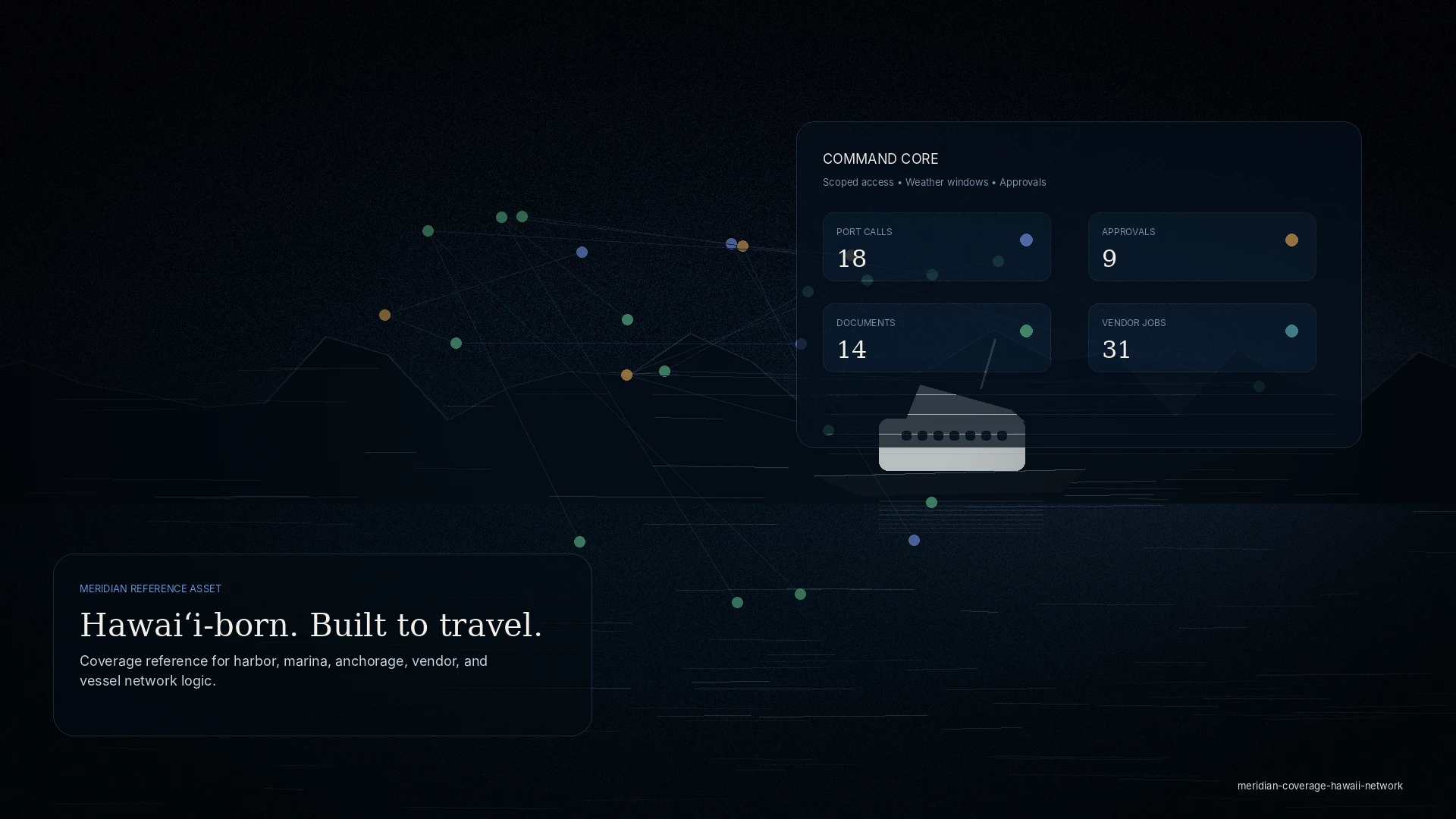
Designed for Hawaiʻi operations. Structured to travel with the programme.

MERIDIAN is designed around the realities of harbor, marina, anchorage, and inter-island coordination.

Wherever the programme operates, local partners can be invited to the specific visit, request, document, invoice, or job they support — without inheriting the wider operating file.
  • Coordinate port, marina, agent, and vendor participation by scope.
  • Collect quotes, status, supporting documents, and completion evidence.
  • Keep principal, itinerary, and unrelated financial detail outside the invited workspace.
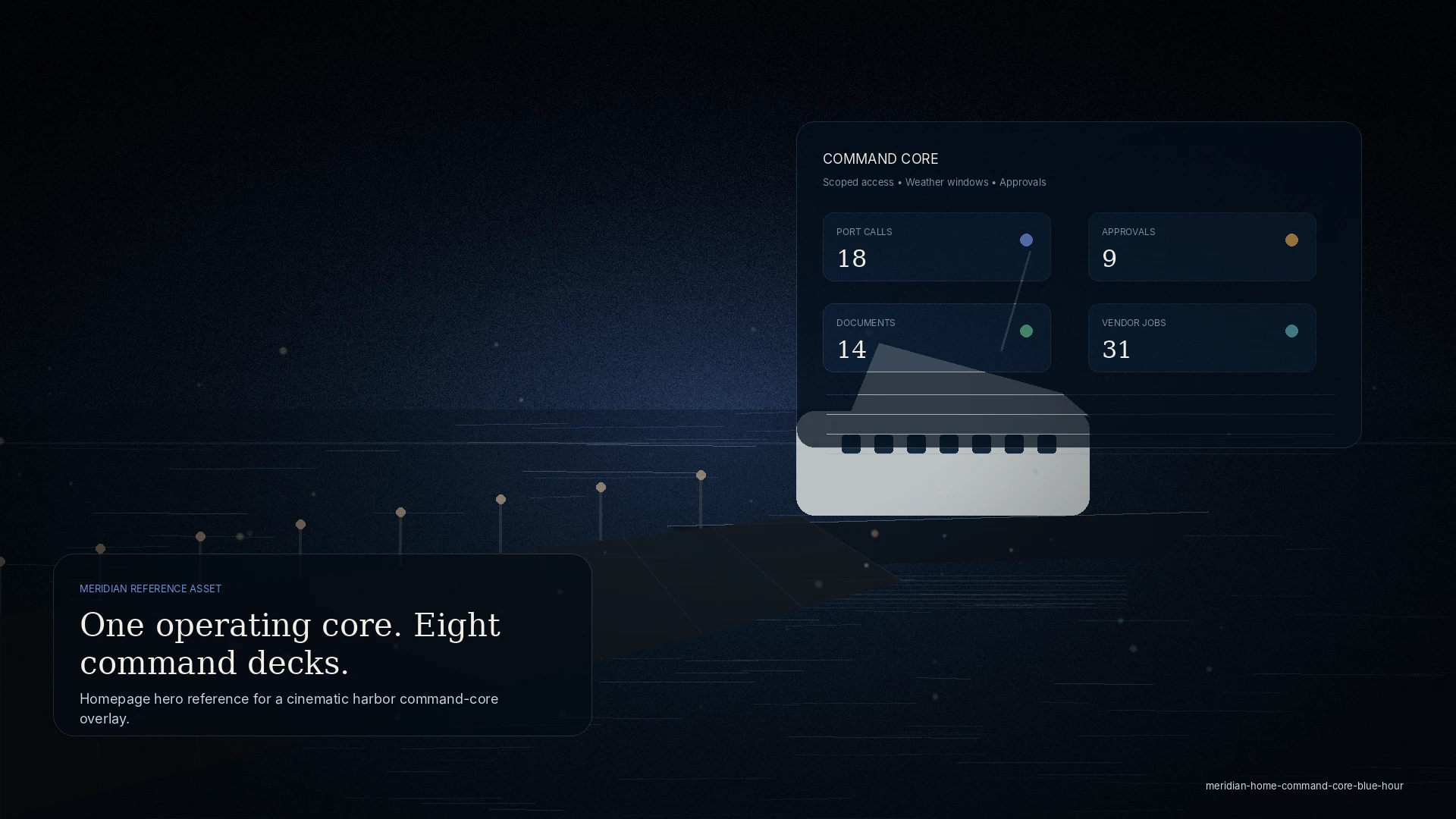
Blue-hour Hawaiian coastline with an abstract harbor, marina, anchorage, and vendor service-network overlay.
Service network · coverage layers

Start with the operation

See whether MERIDIAN fits the way your team works.

New workspaces begin with intake, scope review, and a written proposal. We will identify the operating plan, roles, capabilities, and access boundaries appropriate to your programme.