
Current MERIDIAN site version: Captains & Vessel OperatorsChange operating profile

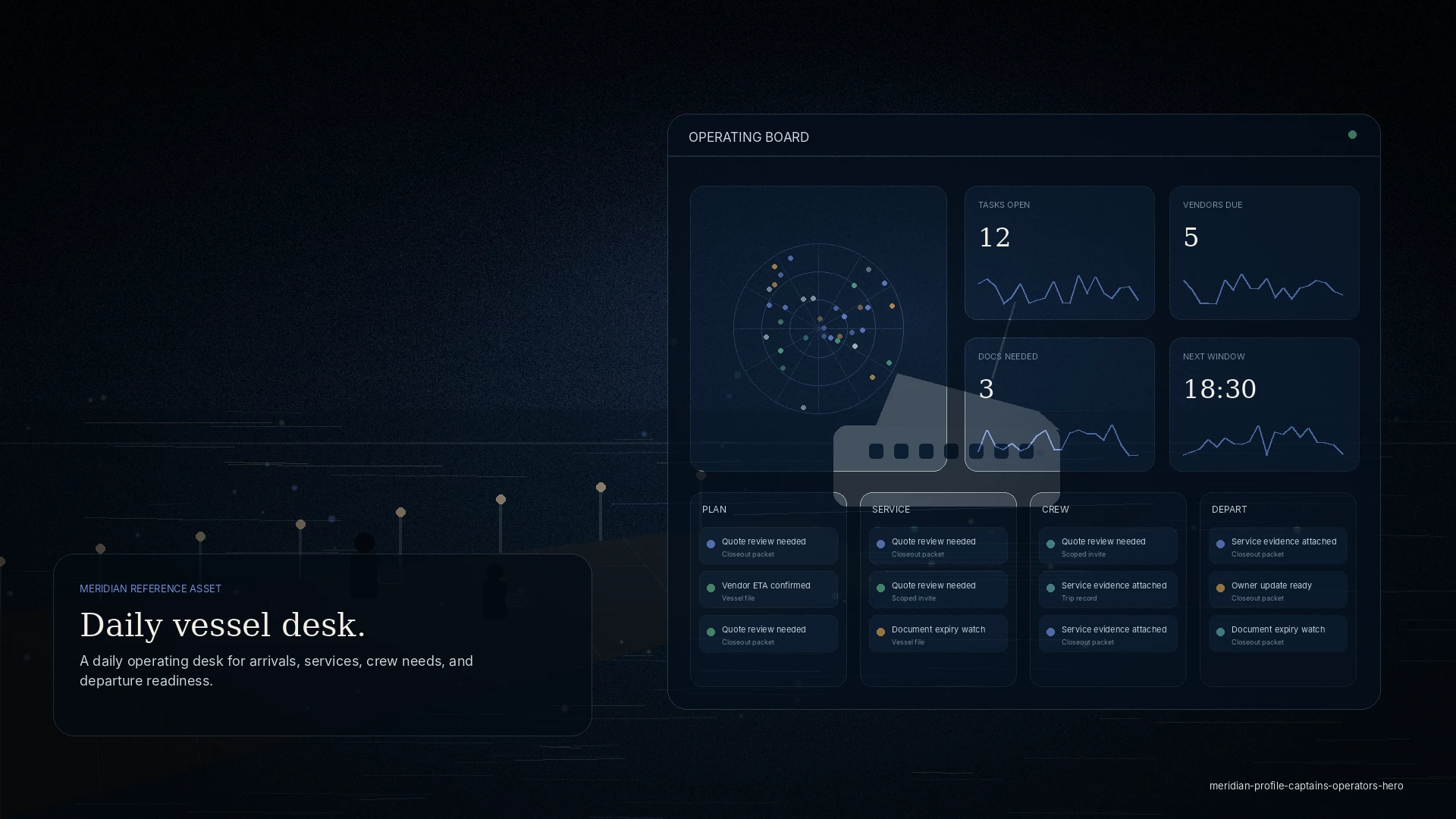
daily vessel desk

A daily operating desk for arrivals, services, crew needs, and departure readiness.

A MERIDIAN site version for captains and operators who need practical coordination for movements, berth changes, supplies, fuel, waste, vendors, documents, weather windows, and updates without chasing multiple channels.

  • Movement plan
  • Crew logistics
  • Service tickets
  • Vendor ETA
  • Departure ready
AudienceCaptains, crew, dispatchers, port captains, vessel operators
Site versionCaptains & Vessel Operators
Captains & Operators operating board
Daily Vessel Desk

Captains, crew, dispatchers, port captains, vessel operators

Sample board
Tasks open12
Vendors due5
Docs needed3
Next window18:30

Plan 02

Arrival windowETA 20:15 · berth fit confirmed
Weather watchSwell dropping after 18:30

Service 02

Fuel and waterTender at Dock B
Laundry pickupVendor delayed 25 min

Crew 02

Crew change2 arrivals tomorrow
TransportAirport pickup confirmed

Depart 02

Clearance packet1 missing item
Departure checklist8 of 11 complete
12open tasks
5vendor arrivals
3documents due
18:30weather window

Tailored service story

Services organized around this audience’s actual work.

This version keeps the navigation functional and service-led, while adapting language, metrics, tasks, and operating examples to captains & operators.

Arrival

Arrival and departure planning

Coordinate ETA, berth readiness, local contacts, dock instructions, weather, and departure checklist items.

Crew

Crew logistics

Manage crew arrivals, ground transport, shore access, deliveries, hotel needs, and crew communications.

Fuel

Fuel, water, waste, and utilities

Request, schedule, and track core vessel services with time windows and completion status.

Provisioning

Provisioning and last-mile delivery

Organize provisions, stores, laundry, catering, parts, flowers, and delivery instructions by vessel and deadline.

Common pain points

What gets in the way today.

Coordination lives in your phone

Arrivals, services, and crew needs scatter across calls and texts, and the plan is only as current as your last message.

A new agent every port

You re-explain the vessel — documents, preferences, history — at each arrival.

Departure surprises

A missing document or a late vendor turns a clean departure into a scramble.

Your command deck

What you can see, and what you can do.

MERIDIAN is permissioned by role. You see your operation, and only your operation.

What you can see

  • Your arrival and departure plan, with weather-window context
  • Service tickets and their status
  • Vendor ETAs and access windows
  • Documents needed for the call

What you can request, approve, or review

  • Request services — fuel, water, waste, provisioning
  • Log crew logistics and shore access
  • Approve or decline vendor scope
  • Review the departure-ready checklist

Working together

How you interact with other roles.

Agents

Share the call in one file; the agent works from your plan, not a fresh brief.

Vendors

Give a scoped job with an access window; get completion evidence back.

Principals & managers

They see readiness without you writing a status update.

Example workflow

A typical run, start to finish.

Plan the arrival

ETA, berth, services, and the weather window in one view.

Coordinate service

Requests routed to the right team with enough detail.

Manage crew & vendors

Access windows, ETAs, and shore logistics.

Confirm departure-ready

A clean checklist before you slip lines.

Privacy & permissioning

You control what each invited agent or vendor sees — the job in front of them, not the whole vessel.

Guest and invited access is approval-gated and scoped — never open public signup.

Discretion

Scoped access, by design.

Everyone invited into your operation sees only what their role needs. The operating file stays yours.

Questions

Frequently asked.

Do I need my management company to set this up?

No — a captain or vessel operator can run a Vessel Desk directly. If you already work with a management company, they can share the vessel to their fleet.

Does the weather window decide for me?

No. It is planning-grade context recorded with the call; the decision stays yours.

Can I keep my own vendors?

Yes. You invite the vendors you trust, scoped to the job.

What carries to the next port?

Your vessel profile, documents, preferences, and service history.

Get started

Run your next arrival from one desk.

See how MERIDIAN adapts to your workflows, or request a walkthrough tailored to your operation. Access is reviewed and routed — guest workspaces are approved manually.