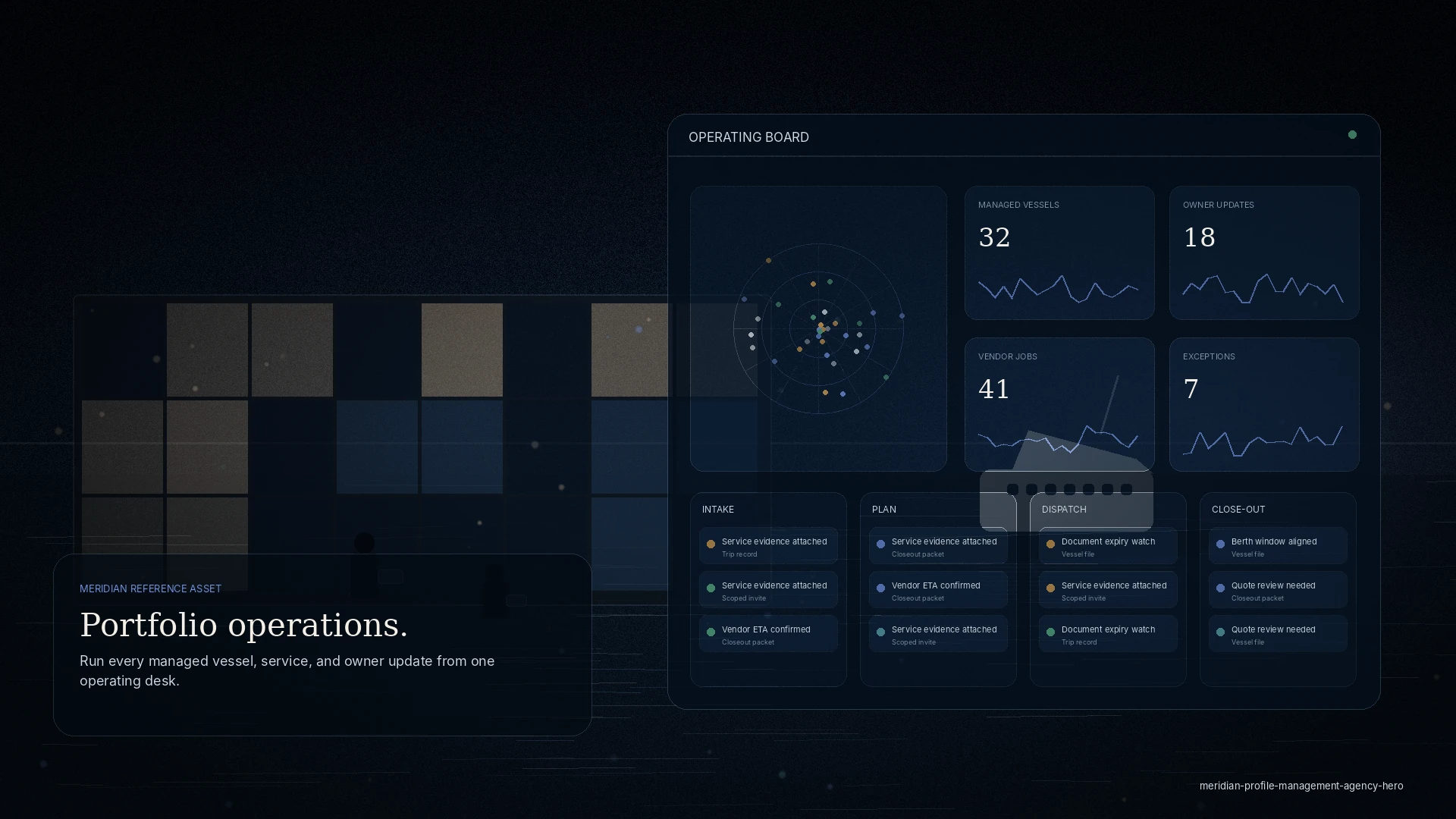
Run every managed vessel, service, and principal update from one operating desk.
A MERIDIAN site version for vessel management agencies coordinating mixed fleets, captains, principal representatives, vendors, port calls, visit documents, provisioning, and operational reporting across regions.
Oahu port callBerth, fuel, stores, ground transport
Maui transferCrew arrival and provisioning window
Dispatch 02
Interior detailVendor confirmed 14:00
Parts runQuote waiting on approval
Close-out 02
Principal reportDraft in review
Invoice packet3 receipts missing
32active vessels
18principal updates due
41vendor jobs
7port-call exceptions
Tailored service story
Services organized around this audience’s actual work.
This version keeps the navigation functional and service-led, while adapting language, metrics, tasks, and operating examples to management agency.
Portfolio
Portfolio intake
Centralize vessel particulars, principal preferences, captain contacts, local service constraints, and active-region notes.
Inputs captured
Vessel profile, key people, operating region, berth constraints, service preferences, and recurring requirements are ready before a port call is opened.
Port-call
Port-call program management
Coordinate arrival, berth fit, local notices, crew/guest logistics, vendor work, provisioning, and departure close-out.
Program structure
Each port call carries principal-facing milestones, internal tasks, vendor assignments, documents, and status notes.
Principal
Principal and representative updates
Package concise, non-technical updates for principal reps and family offices without exposing operational noise.
Client communication
Updates can summarize status, exceptions, decisions needed, costs awaiting approval, and next actions.
Vendor
Vendor network coordination
Route work to preferred vendors with scope, arrival windows, access notes, completion evidence, and escalation handling.
Vendor workflow
Useful for cleaning, engineering, provisioning, ground transport, waste, fuel, divers, inspections, and specialty requests.
Common pain points
What gets in the way today.
Every managed vessel in a different place
Status, documents, and principal updates live across tools, agents, and inboxes.
Repeated context
The same vessel details and requirements are re-entered for every call and every vendor.
Principal updates by hand
The picture a principal wants means someone stitching a status update together.
Your command deck
What you can see, and what you can do.
MERIDIAN is permissioned by role. You see your operation, and only your operation.
What you can see
A portfolio board across managed vessels
Port-call lifecycle and service status
Vendor jobs and quote status
Principal-update readiness
What you can request, approve, or review
Open and run port-call programs
Dispatch and track vendor work
Route client and principal approvals
Publish principal updates from the live file
Working together
How you interact with other roles.
Principals
Send clean, current updates without exposing every thread.
Captains & vessels
Share the call in one file and hand off cleanly.
Vendors
Dispatch scoped jobs and collect completion evidence.
Example workflow
A typical run, start to finish.
Intake the vessel
One file per managed vessel and its program.
Run the port call
Services, documents, and vendors with clear assignees.
Route approvals
Principal or manager approves spend with context.
Report
Principal updates and closeout from the live file.
Privacy & permissioning
Each managed vessel and principal is walled from the others; partners are scoped to a single job.
Guest and invited access is approval-gated and scoped — never open public signup.
Discretion
Scoped access, by design.
Everyone invited into your operation sees only what their role needs. The operating file stays yours.
Questions
Frequently asked.
Is this one file per vessel or one for the agency?
Both — each vessel keeps its own operating file, and your desk sees the portfolio across all of them.
Can principals see their vessel without the dock detail?
Yes. Principal updates compose from the live file and show readiness, approvals, and cost.
How does vendor coordination work?
Invite a vendor to a scoped job with an access window; completion evidence attaches to the visit.
Can we brand what principals see?
Yes — principal-facing reporting can carry your brand.
Get started
Run the whole portfolio from one desk.
See how MERIDIAN adapts to your workflows, or request a walkthrough tailored to your operation. Access is reviewed and routed — guest workspaces are approved manually.