
Choose request type
Tenant selects maintenance, utility, access, delivery, document, or general support.
Workflow path
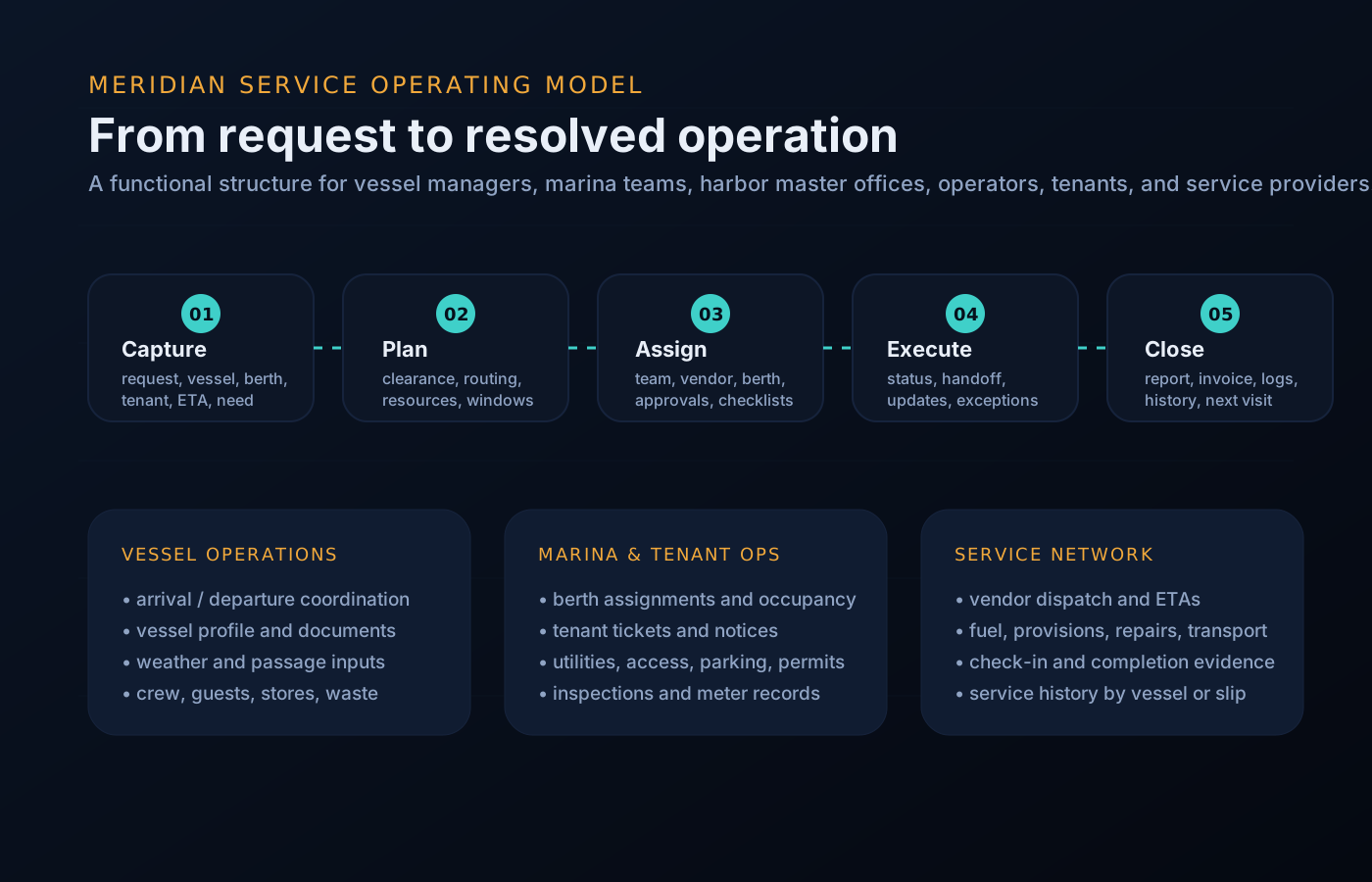
The process language changes by audience, but the underlying pattern is consistent: intake, route, execute, update, and close out.
Why a workflow at all
Coordinating with a busy marina usually runs on calls to the office, notes at the dock desk, and texts to whoever answered last time. Each thread works until it drops. The tenant workflow replaces those threads with a single visible path — the same path every time, whether it is a leaking hose bib, a package at the gate, or a contractor visit — so the office and the tenant are always looking at the same state of the same request.
Tenant selects maintenance, utility, access, delivery, document, or general support.
Slip, vessel, photo, urgency, contact preference, and availability are captured.
The office assigns staff or vendor and sets a target window.
Status changes, questions, schedule windows, and completion notes are visible.
Past requests and notices stay attached to the tenant profile.
Operational queues
This keeps the site focused on what visitors need to accomplish: request service, assign work, resolve exceptions, and keep stakeholders informed.
Queue preview
The same component set supports rollups for management, dock desks, tenants, and vendors.
Worked example
A generic contractor-visit example, narrated step by step — the same intake, route, execute, update, close-out pattern applied to a real coordination job.
Your vessel needs work you have arranged with an outside contractor. You submit a vendor access request: company, technician name, requested day, arrival window, and which dock they need to reach.
The marina office reviews the visit against its dock rules and the paperwork it already holds, then clears it — or asks a clarifying question in the same request thread instead of a phone chase.
The visit appears on your board as Scheduled with the confirmed window, and the dock desk and gate know it is coming. No surprises at the gate, no vouching in person.
The vendor checks in on arrival day and the request moves to In Progress. Any notes from the visit attach to the thread you started, where you can see them as they land.
The visit closes with a completion note. You, the office, and the vendor worked from one record the whole way — and it stays in your history for the next visit.
Workflow questions
Straight answers about who moves a request, how updates arrive, and what happens when plans change.
The marina team does, as they work it. You watch the request move from received to scheduled to in progress to complete — you are never responsible for updating the board.
No. Your slip, vessel profile, and documents travel with every request, so intake starts from what is already known instead of a blank form.
The window is updated on the request itself, so the change reaches you the same way the original schedule did — in the thread, not in a missed call.
Yes. Tenant representatives can be invited into the same scoped workspace, submitting and tracking requests on your behalf with the same visibility.
Only two ideas: request types and statuses. If you can send a tracked message, you can run this workflow.
The finished request joins your history with its notes and photos — a running service record for your slip and vessel instead of a stack of receipts.
Get started
If your marina runs MERIDIAN, ask them to invite you — tenant workspaces are private, permissioned, and invitation-based. Or reach out and we will point you to the right operating team.