
Less phone-tag
Tenants can request, track, and confirm work without repeated desk calls.
Operations view
This page turns the selected role into a tailored operating-board story with metrics, queues, and practical work states specific to marina tenants & slipholders.
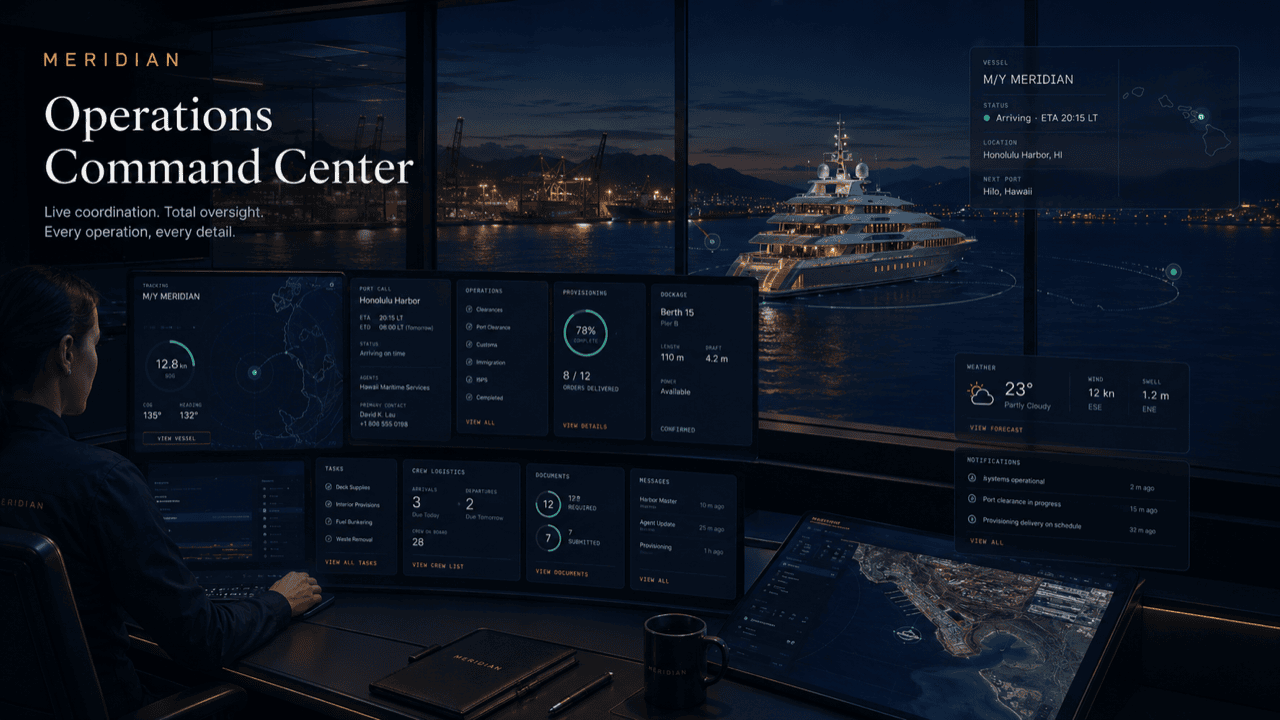
Board logic
The same underlying platform can look like a fleet desk, principals portal, captain desk, harbor control view, tenant service desk, or vendor dispatch board.
Tenants can request, track, and confirm work without repeated desk calls.
The right team receives enough detail at submission.
Tenants see whether the item is queued, scheduled, in progress, or complete.
Recurring issues and service records are easier to reference.
A calm read of the day
Most days it is quiet: nothing new, one notice, nothing due. The value shows on the days that are not quiet — an arrival, a vendor onboard, a dock closure — when the board tells you what is moving, what is waiting on you, and what is already handled. It is the difference between checking a board for ten seconds and working a phone for ten minutes.
Worked example
A generic arrival-day example: your vessel returns to its slip after time away, with services queued for the same day.
The board shows your arrival note acknowledged, a pump-out window confirmed for the afternoon, and a dock notice about a crane lift two piers over — it applies to your walk to the slip, so it reached you.
Your vessel comes alongside. The dock desk works from the same slip and vessel profile you see, so line handling and pedestal hookup were expected, not improvised at the cleat.
A pre-cleared vendor checks in for a scheduled visit and their card moves to In Progress on your board. The pump-out card shows its confirmed window holding.
The pump-out completes and closes with a note; the vendor visit closes behind it. The docs-due tile reminds you an insurance renewal is coming up — handled with an upload, not an office visit.
Everything that happened is on the record: two completed cards, one notice read, one document queued. Tomorrow the board is quiet again — which is exactly the point.
Ops view questions
Straight answers about what the ops view shows, who keeps it current, and where its edges are.
No — it is an illustrative sample board showing the layout and work states. Your actual board is private, permissioned, and populated by your own requests and notices.
Only yours: your requests, your scheduled visits, notices that apply to your slip or vessel, and your documents. Other tenants’ activity never appears.
No. Statuses change as the marina team works your requests. Your job is to submit with good context and check in when you want to — not to maintain a tracker.
They are simple counts of your open requests, scheduled visits, active notices, and documents coming due — a ten-second read of whether anything needs your attention.
No. The ops view is scoped to your slip, vessel, and invited scope. Marina-wide operations, staff notes, and other tenants’ work stay private from you, just as yours stays private from them.
Get started
If your marina runs MERIDIAN, ask them to invite you — tenant workspaces are private, permissioned, and invitation-based. Or reach out and we will point you to the right operating team.