
Open vessel profile
Capture operating region, contacts, preferences, constraints, and current readiness.
Workflow path
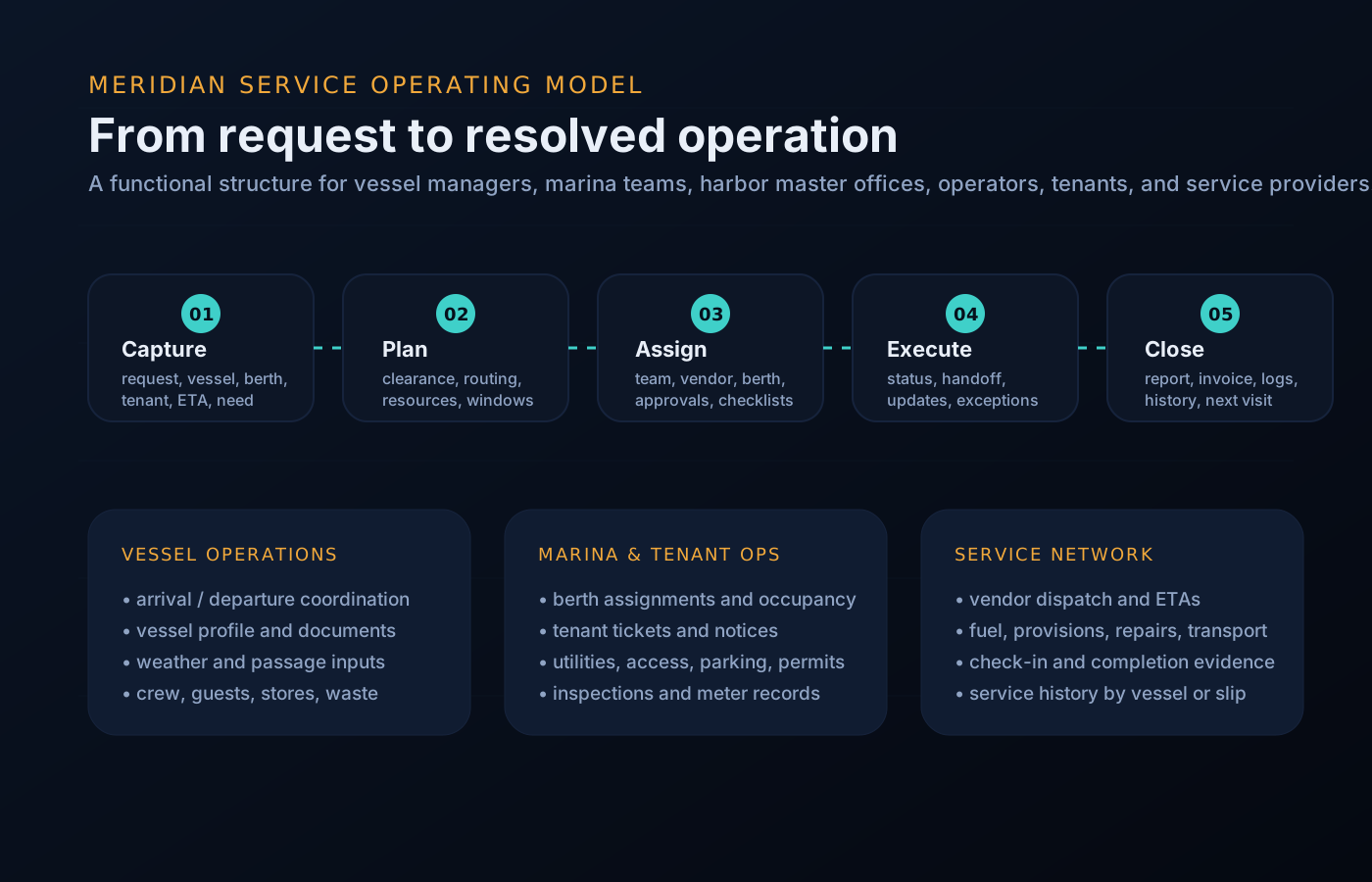
The process language changes by audience, but the underlying pattern is consistent: intake, route, execute, update, and close out.
Capture operating region, contacts, preferences, constraints, and current readiness.
Convert requested movement or service need into milestones, tasks, vendors, and documents.
Track vendor ETAs, arrivals, approvals, exceptions, and communication threads.
Keep captains, principal reps, and management staff aligned with role-specific updates.
Archive outcomes, receipts, exceptions, vendor performance, and future recommendations.
Ground truth
In a working agency week, two arrivals overlap, a vendor reschedules mid-job, a captain hands off to a relief captain, and a principal’s representative asks for status while the work is still moving. None of that is exceptional — it is the job. The sequence above is not process for its own sake; it is where each of those moments lands, so the next person picks the work up without a reconstruction call.
Intake, route, execute, update, close out. The pattern holds whether the vessel is a yacht running a principal’s program, a workboat on contract, or a support craft moving between jobs — so the desk runs one discipline across a mixed portfolio.
The language adapts by audience; the underlying states do not.
Operational queues
This keeps the site focused on what visitors need to accomplish: request service, assign work, resolve exceptions, and keep stakeholders informed.
Queue preview
The same component set supports rollups for management, dock desks, tenants, and vendors.
Worked example
A managed motor yacht gives the desk notice of a five-day stay with a principal visit in the middle. Here is how the workflow carries it.
The arrival notice opens a visit plan on the vessel’s file: milestones, a document checklist, a berth request, and vendor slots for detailing, provisioning, and a pending engineering item.
Missing documents are chased with a named assignee on each item, the berth is confirmed against the vessel’s particulars, and vendors are penciled into arrival windows.
Jobs release to vendors with scope and access windows. The captain sees the same plan the desk sees, so nobody narrates status by phone.
The principal’s party adds an event ashore. The desk adds transport and catering tasks, routes the cost for approval, and the plan re-threads without a side channel.
Completion evidence and receipts reconcile against the plan, exceptions are noted for next time, and the principal update publishes from the finished file.
Questions
The people who own each step: the desk handles intake, routing, and close-out; vendors confirm and complete their jobs; approvers act on approvals. Every change is recorded with who and when.
Captains work from their own vessel’s plan — the same live file the desk sees, scoped to that vessel. The portfolio-wide view stays with the agency desk.
The job shows the slip against its committed window. The desk re-threads dependent tasks and, if a milestone is threatened, the visit raises an exception instead of failing quietly.
The states stay consistent; the content adapts. Each vessel’s profile and program shape what a visit plan contains — documents, recurring services, preferred vendors — without inventing a new process per vessel.
Updates compose from the same operating file, filtered by role: principal representatives see readiness, decisions, and cost; captains see operational detail; vendors see only the job they were dispatched to.
Get started
Walk through intake-to-close-out with your vessels, your vendors, and your principal relationships. Access is reviewed and routed — guest workspaces are approved manually.