
One portfolio view
Portfolio visibility across yachts, workboats, tenders, support craft, and transient client vessels.
Operations view
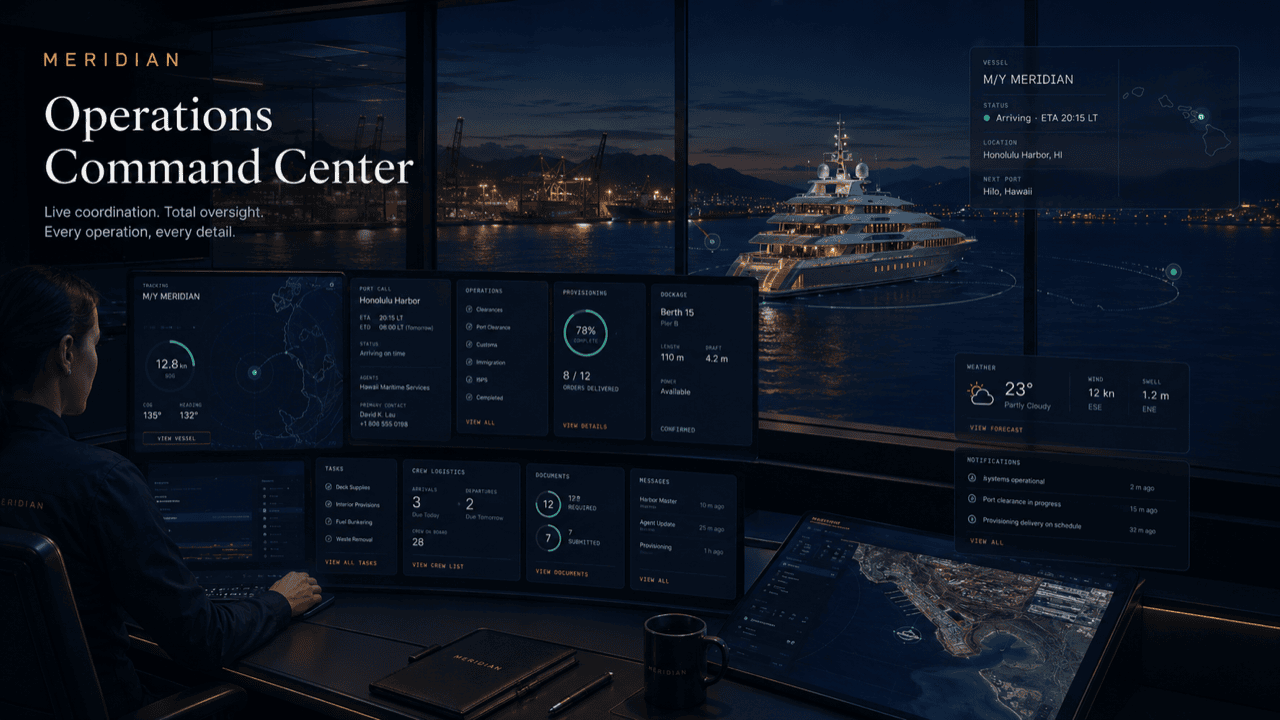
This page turns the selected role into a tailored operating-board story with metrics, queues, and practical work states specific to vessel management agency.
Reading the board
The board answers the question every agency hour turns on: what needs a decision right now? Intake shows what has arrived and is not yet scoped. Plan shows visits being built. Dispatch shows work in vendors’ hands. Close-out shows what is finished but not yet reported. The metrics row above the columns is not decoration — it is the portfolio’s pulse: which vessels are active, which principal updates are due, how many vendor jobs are moving, and how many exceptions need a human.
A report tells you what happened; the board shows what is happening. Tickets move as vendors confirm, approvals land, and documents clear — the desk works from live state, not from this morning’s summary.
Role scoping applies here too: the agency desk sees the portfolio; invited roles see only their slice.
Board logic
The same underlying platform can look like a fleet desk, principal portal, captain desk, harbor control view, tenant service desk, or vendor dispatch board.
Portfolio visibility across yachts, workboats, tenders, support craft, and transient client vessels.
Standardize the service delivery model without losing vessel-specific preferences.
Fewer phone calls and message chains because each job has an assignee, due time, status, and next action.
Management teams can show what happened, what is blocked, and what is complete.
A live port call
A managed vessel is alongside for a working visit. Here is what the ops view shows the desk as the day runs.
The desk opens on exceptions: one quote awaiting principal approval, one document still outstanding. Both carry assignees and due times before the first call is made.
Dispatch fills as the interior team and the provisioning delivery confirm their windows. Each arrival is visible against its access notes — no gate calls.
A parts quote blocks the afternoon engineering slot. The board flags it, the desk escalates to the principal’s representative, and the approval lands with context attached.
Completion photos and receipts attach as jobs finish, and the desk moves tickets to close-out with the evidence already on them — verifying rather than chasing.
By evening the board shows what completed, what carried, and what tomorrow inherits. The principal update drafts from that state, not from anyone’s recollection.
Questions
Live. The board reflects the current state of every operating file it covers — tickets move as vendors confirm, approvals land, and documents clear. Reports are composed from it, not the other way around.
Access is role-permissioned. The desk sees the full portfolio; individual coordinators can be scoped to the vessels or programs they run.
By default they receive composed updates — readiness, decisions, cost — rather than the raw operational board. Any direct access is approval-gated and scoped, never open.
The desk can prioritize by client impact, vessel movement, crew readiness, or service deadline — whichever pressure matters most at that moment.
The counts derive from the live operating files across your managed vessels: active visits, principal updates coming due, vendor jobs in motion, and open exceptions. Nothing is keyed in separately.
Get started
Bring your fleet’s live picture onto one operating view — port calls, vendors, approvals, and exceptions in a single place. Access is reviewed and routed — guest workspaces are approved manually.