
One portfolio view
Portfolio visibility across yachts, workboats, tenders, support craft, and transient client vessels.
Coverage model
Coverage is presented as practical service reach: who can request, who fulfills, which locations are active, and what outputs are available to management agency.
Hawaii-ready operations
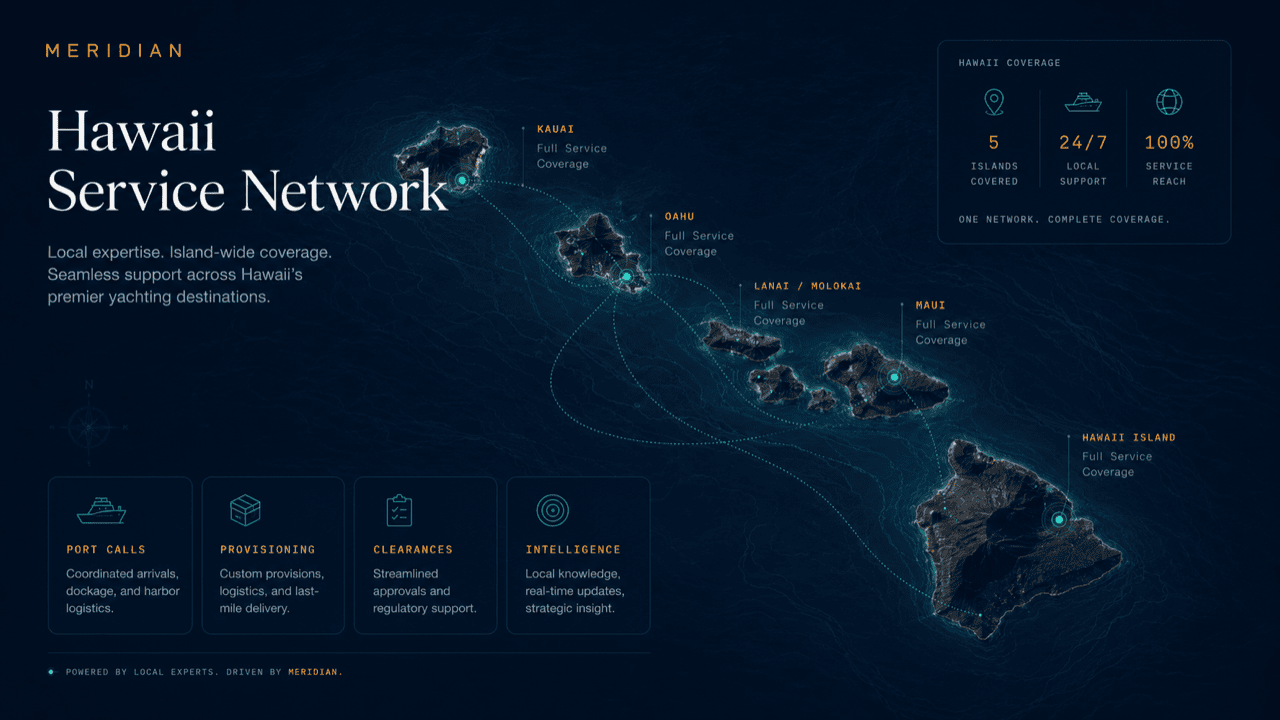
MERIDIAN coordinates service across Hawaii’s harbors, marinas, anchorages, and vessel programs — adapted to how your operation actually works.
What coverage means
For a management agency, coverage is a practical question asked one voyage at a time: when a managed vessel moves, can the desk still take requests, route them to people who can fulfill them, and keep the principal’s picture continuous? MERIDIAN treats coverage as exactly that — location-aware intake, a fulfillment set attached to each active location, and outputs that follow the vessel rather than the harbor.
Vessels move; the agency does not. Coverage means the desk keeps working from the same portfolio board while the location context under each vessel changes — no separate tool, thread, or process per harbor.
New locations join as your operation’s season and programs require them.
Deployment layers
These cards can become future market modules, service-area pages, or CRM routing rules.
Portfolio visibility across yachts, workboats, tenders, support craft, and transient client vessels.
Standardize the service delivery model without losing vessel-specific preferences.
Fewer phone calls and message chains because each job has an assignee, due time, status, and next action.
Management teams can show what happened, what is blocked, and what is complete.
Worked itinerary
A managed vessel runs a three-stop itinerary: its home-port harbor, a neighbor-island marina, and an anchorage call before returning. Here is how coverage carries it.
The visit plan opens against the home harbor’s fulfillment set: familiar vendors, standing access notes, and the vessel’s usual service preferences.
While the vessel is in transit, the desk opens the marina stop: berth request, document requirements, and provisioning orders queued before arrival.
Same operating file, different fulfillment set. Requests route to the vendors attached to that marina, with its own access rules and delivery points.
Location-aware intake shifts to anchorage logistics: tender runs, delivery timing, and a shore-side pickup — still logged on the same file.
The itinerary closes as a single history: every stop’s services, costs, and evidence feed one principal update instead of three disconnected reports.
Profile routing
Because the profile is persisted, return visits continue to this role-specific structure until the visitor switches profile.
Questions
No. A stop is a location context on the same operating file. The desk opens the next stop from the portfolio board, and the vessel’s profile, preferences, and history carry forward automatically.
The visit plan, documents, and approvals still run the same way. Fulfillment at that stop depends on the vendor set available — and you can attach your own vendors to any location your programs use.
Yes. Each active location carries its own fulfillment set, so a request at one marina routes differently than the same request in the home harbor — without the desk re-briefing anyone.
One itinerary. Principal updates compose across stops from the continuous record, so the picture a principal’s representative sees is the voyage, not a stack of per-harbor reports.
Yes. Locations activate as your fleet’s season and programs require them, and quiet locations simply carry their history until the next visit.
Get started
Talk through the harbors, marinas, and anchorages your programs actually use, and how a season of movement stays one record. Access is reviewed and routed — guest workspaces are approved manually.