
Receive request
A vessel, tenant, or operator submits arrival, berth, permit, or service need.
Workflow path
The process language changes by audience, but the underlying pattern is consistent: intake, route, execute, update, and close out.
A vessel, tenant, or operator submits arrival, berth, permit, or service need.
Harbor team checks suitability, restrictions, documents, and availability.
The selected vessel, tenants, vendors, or staff receive the relevant status and instructions.
Movements, exceptions, closures, and service impacts stay visible during the operating window.
Daily report captures movements, incidents, notices, permits, and unresolved watch items.
Why this shape
Harbor work is continuous, but the people running it are not. A movement cleared at the end of one watch is executed on the next; an exception opened at midday may close after dark. The workflow’s fixed states exist so work survives the handover.
That is the difference between a workflow and a to-do list: every item carries who asked, what was decided, who was told, and what is still open — so the incoming shift inherits a live picture instead of a verbal summary at the door.
Operational queues
This keeps the site focused on what visitors need to accomplish: request service, assign work, resolve exceptions, and keep stakeholders informed.
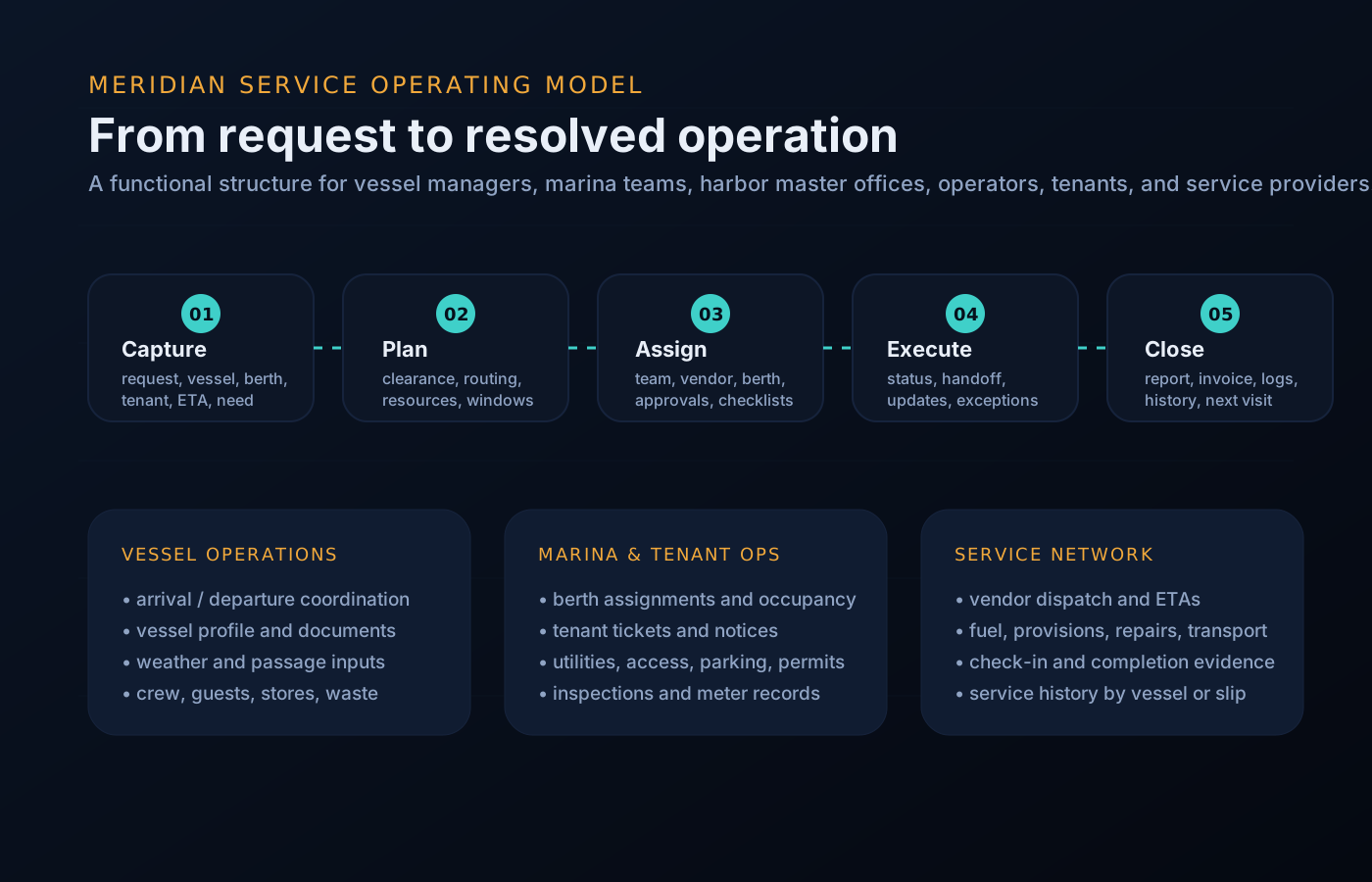
Worked example
A visiting motor yacht requests a multi-night stay. Here is the same five-state pattern carrying one real piece of work through a full cycle.
The vessel’s management agency submits the arrival: LOA, draft, power and water needs, the requested window, and the permit packet. The request exists once, in the queue, with everything attached.
The desk runs suitability: draft against the intended berth, LOA against the fairway, documents against requirements. The insurance certificate is missing — the item flips to incomplete and the agency sees exactly what is outstanding.
Packet complete, the desk assigns a berth with a noted power constraint. The captain gets the assignment and window, adjacent tenants get a movement notice, and the affected vendor sees its service slot.
Mid-stay, scheduled dock maintenance collides with the vessel’s waste-service booking. The conflict surfaces as an exception, the service is re-slotted, and both the vendor and the crew see the change — no phone tree.
On departure the movement closes: services delivered, the one exception and its resolution logged, and the record folded into the daily report the next watch opens with.
Queue preview
The same component set supports rollups for management, dock desks, tenants, and vendors.
Questions
The states are checkpoints, not paperwork. A routine departure can move receive-to-close in minutes; a commercial permit may sit in triage for days. Either way, the item’s position is always visible.
Desk roles with assignment rights move the queue. Requesters — agencies, captains, tenants, vendors — see scoped status and respond to what is asked of them, but the harbor office holds the decisions.
Open items carry their full context — requester, decisions, notices sent, next action — so the incoming watch picks up work exactly where it stands.
Yes. They close with a recorded reason and remain part of the operating history, which matters when the same vessel or operator returns.
Yes — each party sees the status of its own requests, scoped to its role, without seeing the rest of the harbor’s board.
Get started
Walk the intake-to-close pattern against your harbor’s real workload, or request a walkthrough tailored to your operation. Access is reviewed and routed — guest workspaces are approved manually.