
Clear movement control
Arrivals, departures, assignments, and exceptions are visible in one place.
Operations view
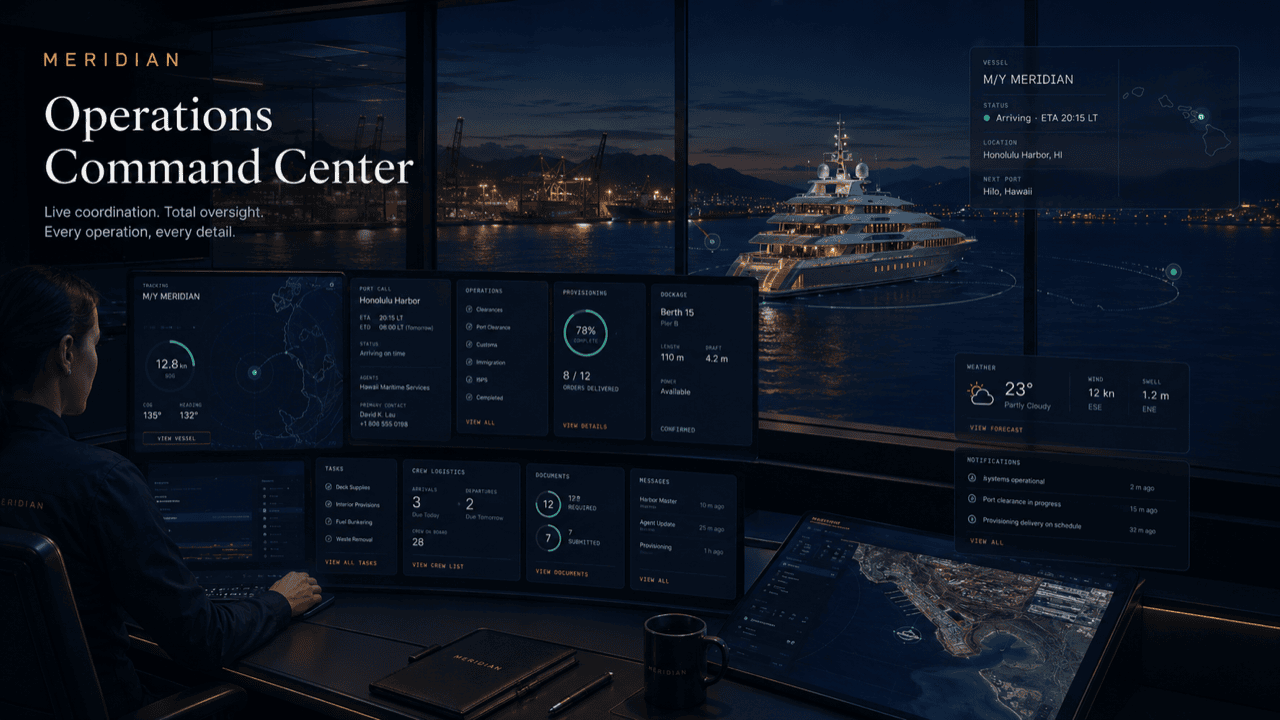
This page turns the selected role into a tailored operating-board story with metrics, queues, and practical work states specific to harbor master / port office.
What this board replaces
Most harbor desks already have an operating picture — it is just distributed across a paper log, a berth whiteboard, a radio, and whoever happens to remember. The ops view is that same picture assembled in one place and kept current as work moves.
The metrics across the top are the desk’s standing questions: how many movements today, which berths are committed, what is waiting on review, what is restricted. The columns underneath are the work itself, each ticket carrying its own status, responsible party, and next action.
These are illustrative sample boards — placeholder vessels and counts arranged to show the product’s structure, not live customer data or product screenshots.
Your board reflects your harbor: your berth map, your queues, your restrictions.
Board logic
The same underlying platform can look like a fleet desk, principal portal, captain desk, harbor control view, tenant service desk, or vendor dispatch board.
Arrivals, departures, assignments, and exceptions are visible in one place.
Visitors and tenants get structured status rather than repeated desk calls.
Notices and restrictions can be routed by affected zone or audience.
The harbor desk closes with a useful operating record.
During a live port call
Follow one visiting vessel across the board through a single port call.
The vessel sits in the incoming column with its requirements visible: LOA, draft, power need, permit status. A readiness blocker — one outstanding document — shows on the ticket before the vessel is anywhere near the fairway.
The ticket moves to its assigned berth. The berth’s own card flips to occupied with its power constraint noted, and the scheduled services line up beneath it in order.
Maintenance blocks an adjacent berth. The exception opens on the board with a responsible party and an urgency flag, and the restriction notice routes to the tenants it affects — nothing changes for anyone unaffected.
The vessel departs; the ticket closes with services delivered and the exception’s resolution attached. The berth card frees, and the whole call is already in the daily report before the shift ends.
Questions
The board updates as work is logged and statuses change. It is an operating picture of the desk’s work — a queue and status layer, not a radar or AIS replacement.
Access is permissioned by role. The harbor office sees the full board; tenants, agencies, and vendors see scoped slices — their own requests, notices, and service windows.
Yes — queues, restrictions, and notices can be tied to berth zones, docks, and operating areas, so a closure on one pier reads as exactly that.
What changed during a shift — movements, decisions, exceptions, notices — stays on the record, so the incoming watch opens the board and reads the day instead of hearing it secondhand.
They stay open on the board with a responsible party and follow-up record until resolved, and appear in each daily report along the way — nothing quietly expires.
Get started
See the ops view arranged around your berth map and queues, or request a walkthrough tailored to your operation. Access is reviewed and routed — guest workspaces are approved manually.