
Clear movement control
Arrivals, departures, assignments, and exceptions are visible in one place.
Coverage model
Coverage is presented as practical service reach: who can request, who fulfills, which locations are active, and what outputs are available to harbor master.
Coverage, from the harbor office
For a port office, coverage is not a shaded circle on a map. It is a precise answer to four questions: who may submit into your queues, which locations your office actively controls, who fulfills work inside them, and what records leave the desk when the work is done.
MERIDIAN treats each harbor as its own scoped operation. Management agencies, captains and crews, resident tenants, vendors, and commercial, passenger and charter fleets connect to your operation where their work touches it — and see nothing beyond that edge.
Every answer is set by the harbor office, not inherited from anyone else’s deployment.
Hawaii-ready operations
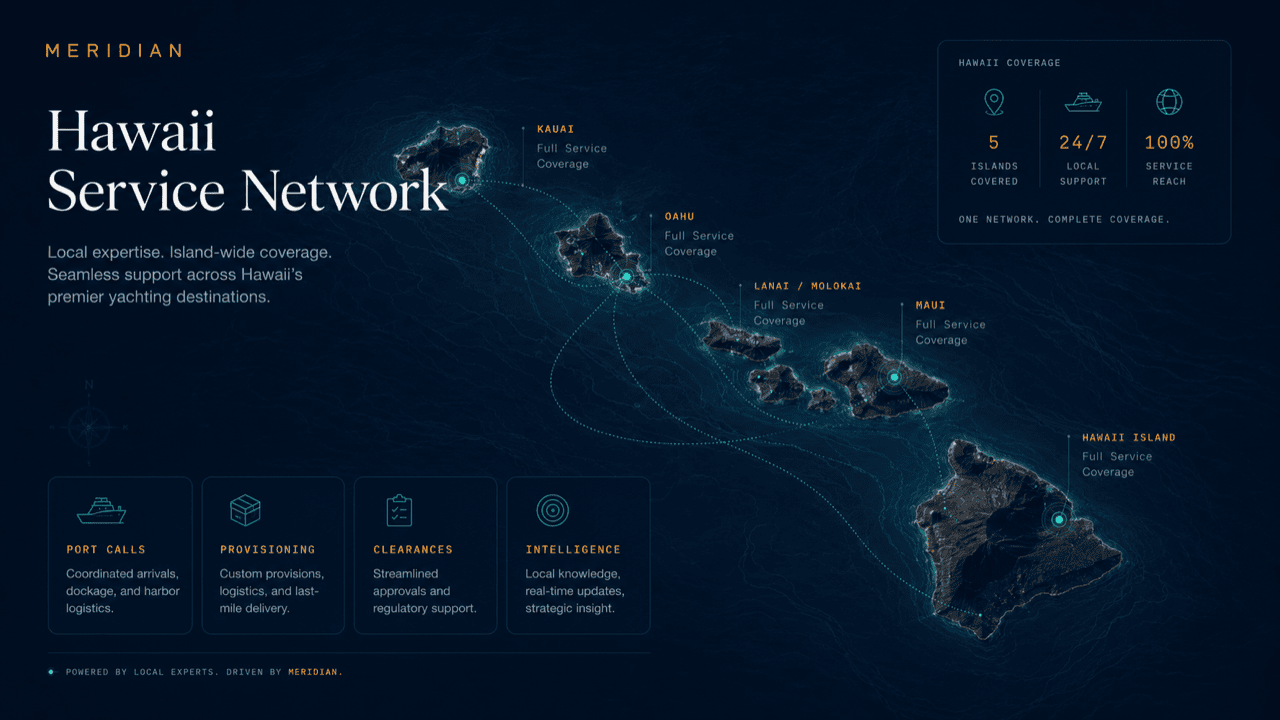
MERIDIAN coordinates service across Hawaii’s harbors, marinas, anchorages, and vessel programs — adapted to how your operation actually works.
Deployment layers
These cards can become future market modules, service-area pages, or CRM routing rules.
Arrivals, departures, assignments, and exceptions are visible in one place.
Visitors and tenants get structured status rather than repeated desk calls.
Notices and restrictions can be routed by affected zone or audience.
The harbor desk closes with a useful operating record.
Worked example
A visiting vessel plans a season across several harbors. Here is what that itinerary looks like from your desk — and what it never shows you.
The vessel’s management agency builds one profile — LOA, draft, documents, service needs — and submits a stop at your harbor. You receive a complete arrival request, not a cold call and a half-remembered file.
The request lands in your queue under your requirements: your permit packet, your berth constraints, your notice zones. A green light at another harbor earlier in the itinerary decides nothing at your desk.
The vessel, its agency, and your vendors work inside your scoped operation. What they see is your harbor’s slice — assignments, notices, service windows — never your whole board.
Your record closes and stays yours: movements, services, exceptions, permits. The next harbor on the itinerary opens its own scoped view. The vessel’s profile travels; your operating file does not.
Profile routing
Because the profile is persisted, return visits continue to this role-specific structure until the visitor switches profile.
Questions
No. Each harbor’s operating file is scoped to that harbor. What travels with the vessel is its own profile and documents — not your assignments, exceptions, or internal notes.
Yes — arrival requests carry the profile, so triage, permit review, and berth planning can happen well ahead of the approach.
The request closes as withdrawn or declined with a recorded reason, the berth frees, and affected notices are updated — the cancellation is part of the record, not a gap in it.
No. Your office runs as a complete standalone operation; itinerary continuity is added value where more stops connect, not a requirement for your own coverage.
Your office. Guest and invited access is approval-gated and scoped — visitors see their own requests, assignments, and notices, never the wider board.
The service picture shown on this page is a regional deployment view. The model itself — scoped operations, structured intake, role-based reach — is the same wherever an office runs it.
Get started
Map your locations, requesters, and outputs onto the coverage model, or request a walkthrough tailored to your operation. Access is reviewed and routed — guest workspaces are approved manually.