
Open movement or request
Start with ETA, berth need, service request, or crew/guest requirement.
Workflow path
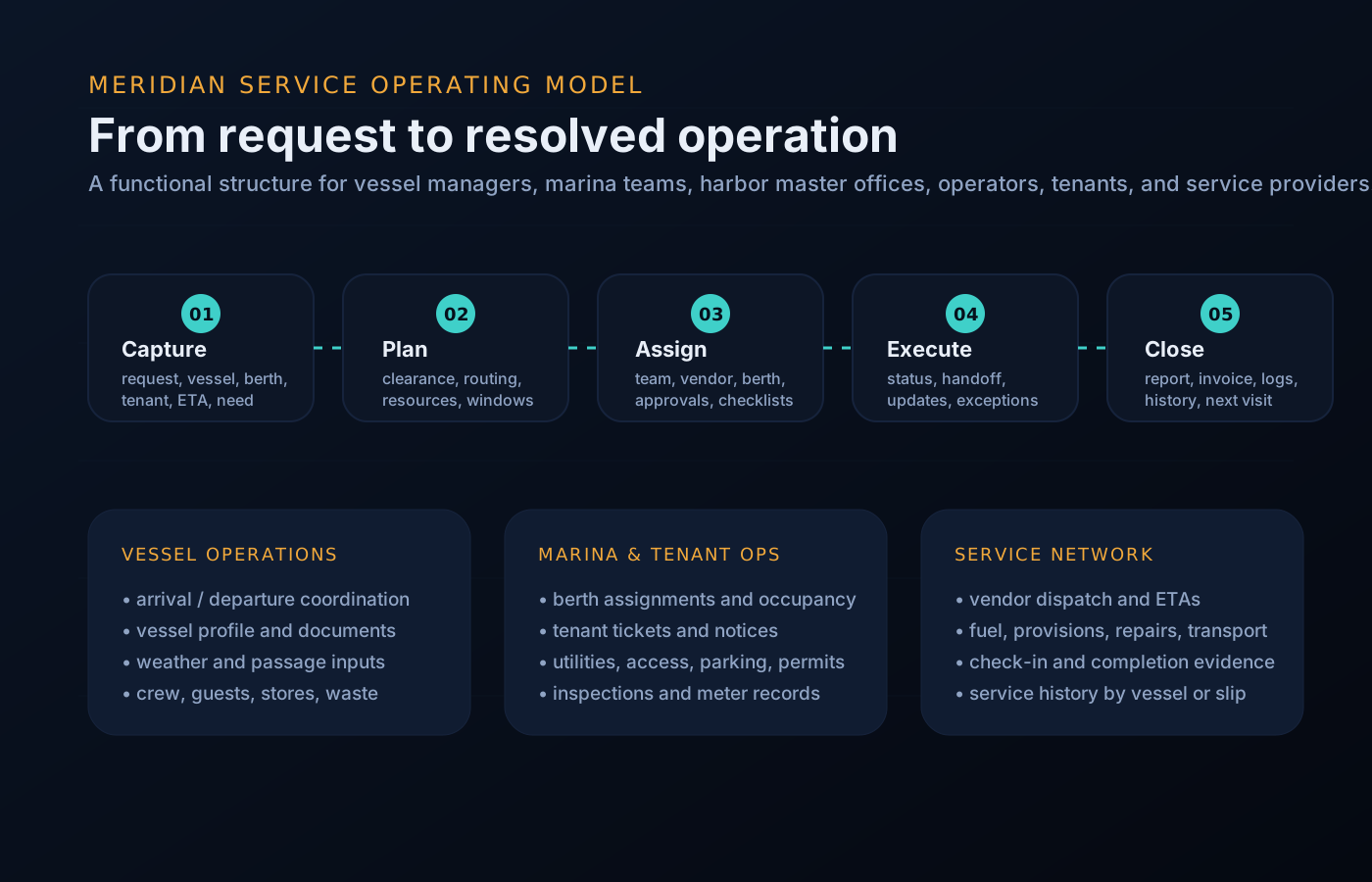
The process language changes by audience, but the underlying pattern is consistent: intake, route, execute, update, and close out.
Start with ETA, berth need, service request, or crew/guest requirement.
Attach berth, vendors, documents, weather context, and local contacts.
Monitor vendor ETA, service progress, crew logistics, and blockers.
Close out documents, utilities, waste, provisions, and final checks.
Export a concise handover for management, owner reps, and next port.
Operational queues
This keeps the site focused on what visitors need to accomplish: request service, assign work, resolve exceptions, and keep stakeholders informed.
Queue preview
The same component set supports rollups for management, dock desks, tenants, and vendors.
A message tells you what someone said. A state tells you where the work is. The desk holds every open item in a named state with one owner and one next action, so nothing rides in anyone’s head between watches.
If you can answer “what state is it in?”, you never have to scroll a thread to find out.
Why this shape
Berth changes, vendor slips, a crew flight moved twice — the plan you wrote at 06:00 is rarely the day you get. Workflows absorb the changes: each disruption becomes an update to a tracked item instead of a fresh round of calls, and the people downstream re-brief themselves from the plan.
Example: one workflow, narrated
A generic mid-call disruption, run as one tracked workflow instead of a dozen messages.
The marina office asks you to shift one berth down the dock late morning so a crane barge can work. You open a movement instead of writing a sticky note.
The desk shows what the shift touches: the fuel window, a provisioning drop, shore-power disconnect, two crew ashore. Nothing has to be remembered.
Affected vendors see their updated access windows on their own scoped view. No group text, no “who told the laundry van?”
Lines, fenders, shore power down and back up — the checklist runs on the board, and each confirmation is logged as it happens.
The movement closes with confirmations attached. The daily report and the handover already reflect it; the afternoon continues on plan.
Questions
The states are consistent — intake, route, execute, update, close — because that is what makes status legible at a glance. What happens inside each state adapts to your operation.
Only the people you scope in. A vendor sees their job and access window. Principals and managers see readiness rollups. Nobody reads the whole desk by default.
The exception lives on the item — flagged, timestamped, and visible — instead of buried in a message thread. You resolve or reroute from the same place.
That is the normal state of a port call. The board groups live work by state, so a dozen open items read as a plan rather than a pile.
Into the call file and the vessel’s service history, and into the daily report and handover — closing the work and reporting the work are the same act.
Get started
See how intake, routing, and close-out map onto the way your vessel already works, or request a walkthrough tailored to your operation. Access is reviewed and routed — guest workspaces are approved manually.