
Fewer scattered channels
The captain-facing version organizes calls, messages, and service tasks into one queue.
Operations view
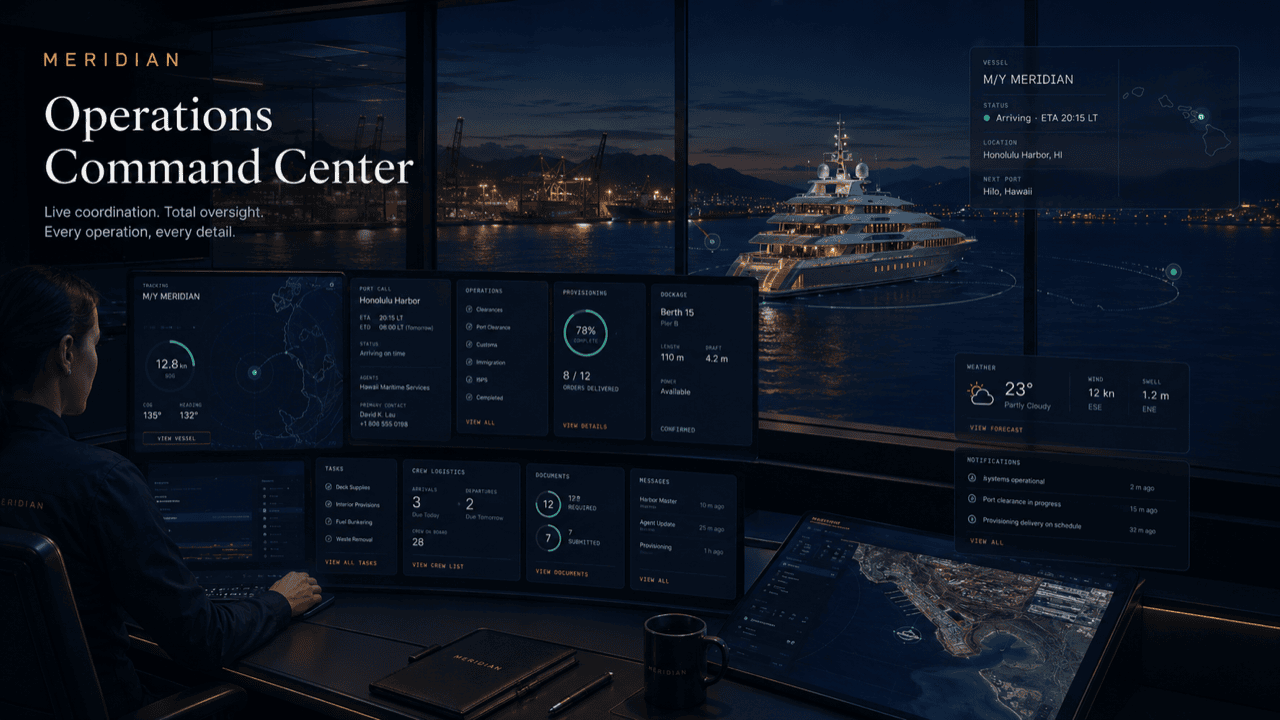
This page turns the selected role into a tailored operating-board story with metrics, queues, and practical work states specific to captains & vessel operators.
Board logic
The same underlying platform can look like a fleet desk, owner portal, captain desk, harbor control view, tenant service desk, or vendor dispatch board.
The captain-facing version organizes calls, messages, and service tasks into one queue.
Berth, vendors, documents, weather, and supplies are aligned before arrival.
Crew logistics become visible, timed, and accountable.
Departure tasks and missing items are obvious before the window closes.
The ops view is what you check before coffee: what moved overnight, who is due at the dock, what paperwork is still open, and when the weather window shifts. It is a live board, not a report someone wrote yesterday.
If a thirty-second scan answers “where does this call stand?”, the board is doing its job.
Reading the board
Metrics up top for the numbers that change your morning; columns beneath for the work in motion — plan, service, crew, departure. Tickets move as the day does, the colors tell you where to look first, and managers and principals read readiness from the same state you work from.
Example: a live port call
Illustrative values from the sample board above, narrated the way a real call day runs.
Metrics before coffee: open tasks, vendors due today, documents still outstanding, and the next weather window. You know your morning in one look.
The fuel tender goes on station and its ticket moves with it. Each confirmation lands on the board instead of in a different inbox.
A vendor slips and the ticket flags it with a new ETA. You reschedule from the ticket, and everyone downstream of that window sees the change.
The checklist counts down and the one missing clearance item is flagged in amber — hours before it could become a dockside scramble.
Managers and principals read readiness straight from the rollup. Nothing extra to write; the handover already reflects the day.
Questions
No — it is a sample board with illustrative values, part of this site’s intentional placeholder art. Your board shows your vessel’s live operation, and only yours.
The work does. Statuses update as vendors confirm, crew log items, and requests close — the board is a by-product of the coordination, not another report you maintain.
They can see scoped rollups — readiness, exceptions, and what has closed — if you grant it. They do not see raw operational chatter.
Yes. The same board, metrics, and tickets are built to be read and updated from the dock, the tender, or the bridge.
State at a glance: on-track, needs attention, or blocked. The point is that a thirty-second scan tells you where the call stands.
Get started
See the ops view shaped around your vessel and your call pattern, or request a walkthrough tailored to your operation. Access is reviewed and routed — guest workspaces are approved manually.