
Receive dispatch
Vendor receives scope, location, contacts, timing, and access instructions.
Workflow path
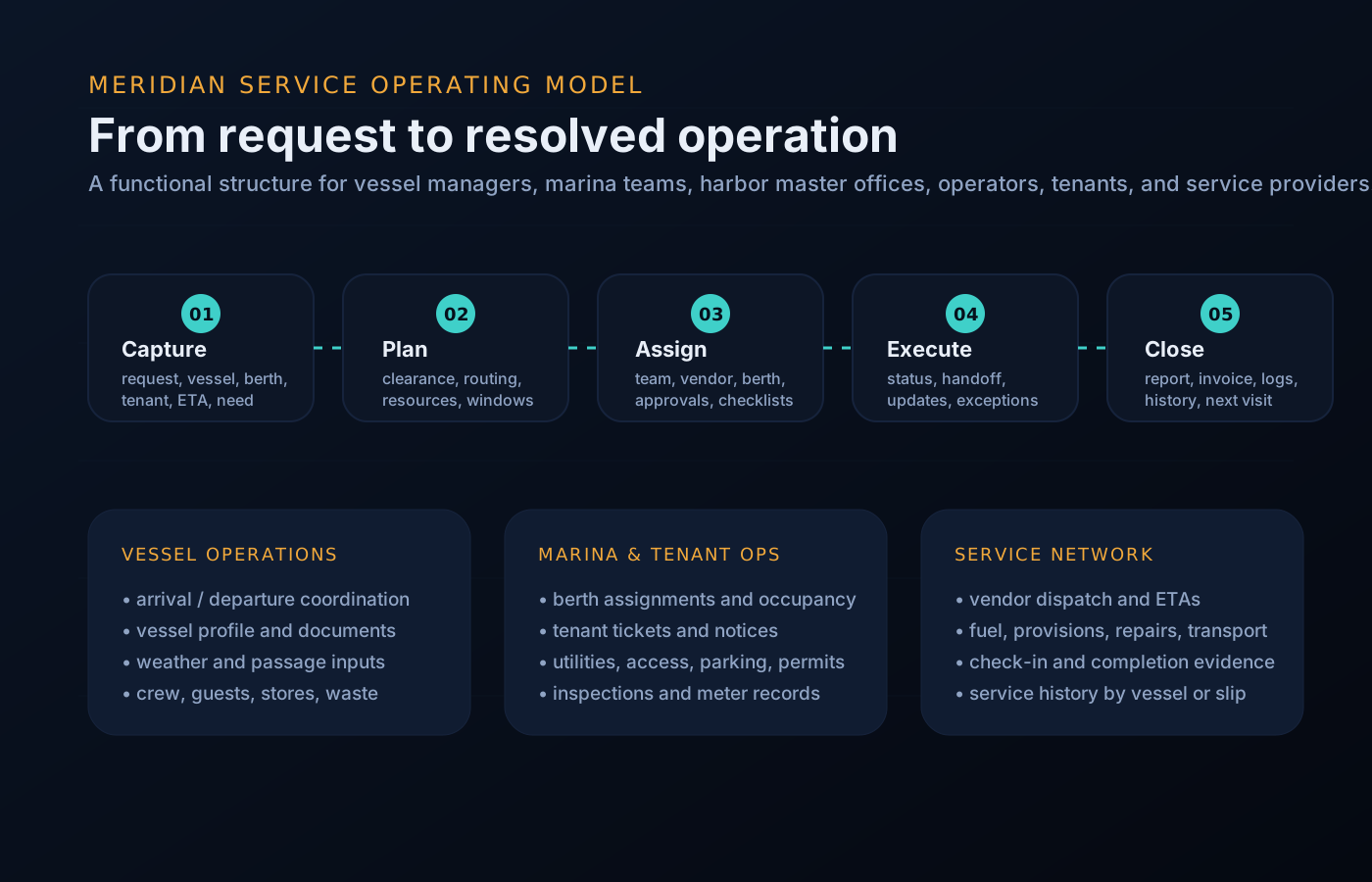
The process language changes by audience, but the underlying pattern is consistent: intake, route, execute, update, and close out.
Vendor receives scope, location, contacts, timing, and access instructions.
Questions, quote requests, and scope changes stay attached to the job.
Operations can see vendor status and expected completion window.
Photos, notes, receipts, parts, readings, and next steps are captured.
Tenant, vessel operator, or management agency receives confirmation.
Operational queues
This keeps the site focused on what visitors need to accomplish: request service, assign work, resolve exceptions, and keep stakeholders informed.
Queue preview
The same component set supports rollups for management, dock desks, tenants, and vendors.
Not on the dock — in the handoffs. The scope that lived in a phone call, the access window that moved without anyone telling the truck, the approval that sat in an inbox while the crew stood by, the completion photo that never made it out of a text thread.
Each state above exists to make one of those handoffs explicit, visible, and attached to the job.
Ground truth
The five states above are deliberately plain: receive, clarify, check in, complete, close. What changes with MERIDIAN is that every transition is recorded on the work order itself — so the dispatcher, the dock desk, the captain, and the management agency are reading the same job, not four versions of it.
Narrated example
A charter turnaround interior detail — dispatched the evening before, closed out by mid-afternoon.
The management agency dispatches the detail with berth, guest-departure timing, crew contact, and a photo set of the interior condition. Your team accepts from the queue that evening.
Your supervisor asks whether product should be staged aboard or carried on. The answer arrives attached to the job — the next crew member to open it sees the same thread.
The gate, dock, and escort details are already on the order. You check in on arrival; the dock desk and the agency both see your team on site and the expected completion window.
Mid-job, the crew asks to add the crew mess. That is a scope change, not a favor: it routes as a quote item, gets its yes, and the extra hours are on the record before the work starts.
Before-and-after photos, product notes, and a flag on a worn carpet runner the crew should see. You check out; the job moves to completion review.
The interior lead confirms, the agency releases the job, and the record — thread, change, evidence, sign-off — stays on the vessel’s file for the next turnaround.
Questions
Raise the change on the work order. It routes to the requester as a quote item with the approval threshold visible, so your crew is never doing unpriced work on a handshake.
Update the job with the delay. The dock desk and the dispatcher see the new arrival estimate against the same window — a reschedule becomes a state change, not a round of phone calls.
Yes. Multi-crew dispatch is part of the vendor workspace tiers — each crew checks in and out against the same work order, and the evidence rolls up to one completion record. See the plans page.
The parties on the job: the dispatcher, the site controlling access, and the requester. Your updates never broadcast beyond the operations that invited you.
The job holds its state visibly — awaiting quote approval, awaiting sign-off — so the delay is on the record and the follow-up lands with the right person rather than in a group text.
Get started
See the dispatch-to-close-out flow with your own service categories, or request a walkthrough tailored to your operation. Access is reviewed and routed — guest workspaces are approved manually.