
Load schedule
Import or create recurring movements and vessel service needs.
Workflow path
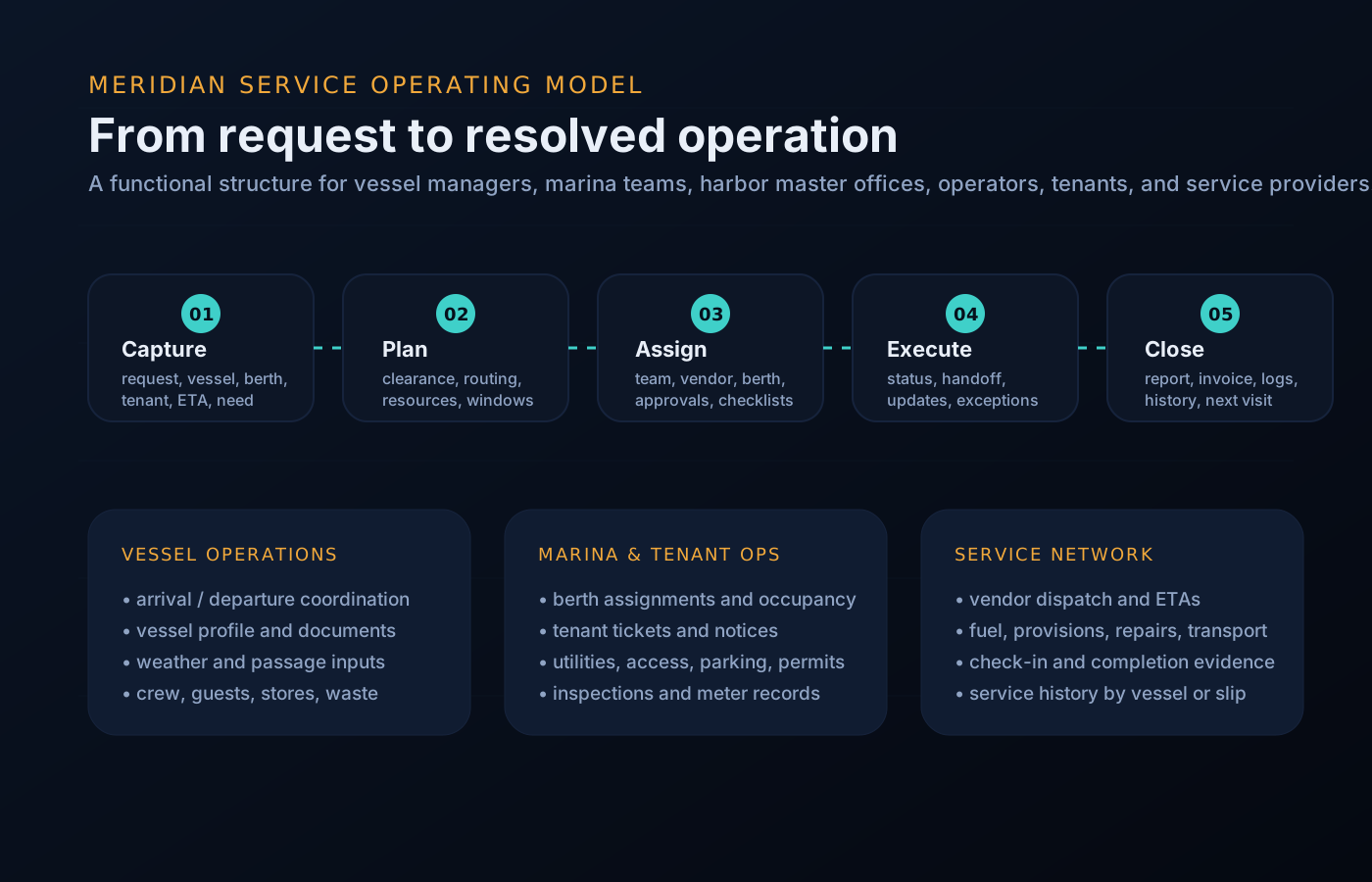
The process language changes by audience, but the underlying pattern is consistent: intake, route, execute, update, and close out.
Import or create recurring movements and vessel service needs.
Batch fuel, waste, supplies, cleaning, and maintenance by dock, vendor, or route.
Surface berth conflicts, weather impacts, holds, and notices.
Assign owners, ETAs, and completion evidence to each item.
Produce movement logs, exceptions, service completion, and next-day watch items.
Day-to-day reality
On a scheduled fleet, work does not arrive as tickets — it arrives as an early walk-through, a radio call about a berth change, a passenger count that jumps an hour before boarding, and a defect note scribbled after the last run. A workflow only earns its place if it absorbs that reality.
Every item gets an owner and a state, handovers survive shift change, and nothing closes without the evidence a supervisor will ask for at the end of the week. The worked example below follows one real-shaped case through the whole path.
Intake to close-out, without leaving the operating file.
Operational queues
This keeps the site focused on what visitors need to accomplish: request service, assign work, resolve exceptions, and keep stakeholders informed.
Queue preview
The same component set supports rollups for management, dock desks, tenants, and vendors.
Worked example
One workflow narrated step by step — from defect note to return to service.
The morning walk-through finds steering play on a passenger vessel. The mate logs a defect note from the dock; it lands as a work item with the vessel, symptom, and photos attached.
The operator converts the note to a maintenance hold. The vessel drops out of the day's schedule, and every departure it was covering is flagged for reassignment.
A spare vessel picks up the midday runs and one low-load departure is consolidated. The changed schedule publishes to crew and the dock desk from the same record.
The repair vendor is assigned with scope and access notes. Parts runs, work notes, and time on task accumulate on the hold — not in a separate message thread.
The vendor marks the work complete; the supervisor reviews the evidence and signs off. Return-to-service status flips and the vessel re-enters the schedule.
The hold closes with its full history, appearing once in that day's report and once in the weekly exception summary — no reconstruction required.
Questions
State changes follow role permissions: crew can raise and update, operators route and re-plan, supervisors sign off. Every change is attributed.
Open items carry their state, owner, and history, so the incoming shift reads the board instead of relying on a verbal download at the dock.
Yes — an invited vendor updates the specific job they are assigned, with completion notes and evidence, without seeing the rest of your operation.
They appear in the daily report as open exceptions with owners, and roll onto the next day's watch list rather than silently disappearing.
The intake–route–execute–close pattern is consistent, but queues, service cycles, and sign-off rules are configured per vessel program.
Get started
Request access to walk a typical week of your schedule through intake, routing, execution, and close-out. Access is reviewed and routed — guest workspaces are approved manually.