
Operational repeatability
Scheduled operators get a stable system for recurring service delivery.
Coverage model
Coverage is presented as practical service reach: who can request, who fulfills, which locations are active, and what outputs are available to fleet operators.
Hawaii-ready operations
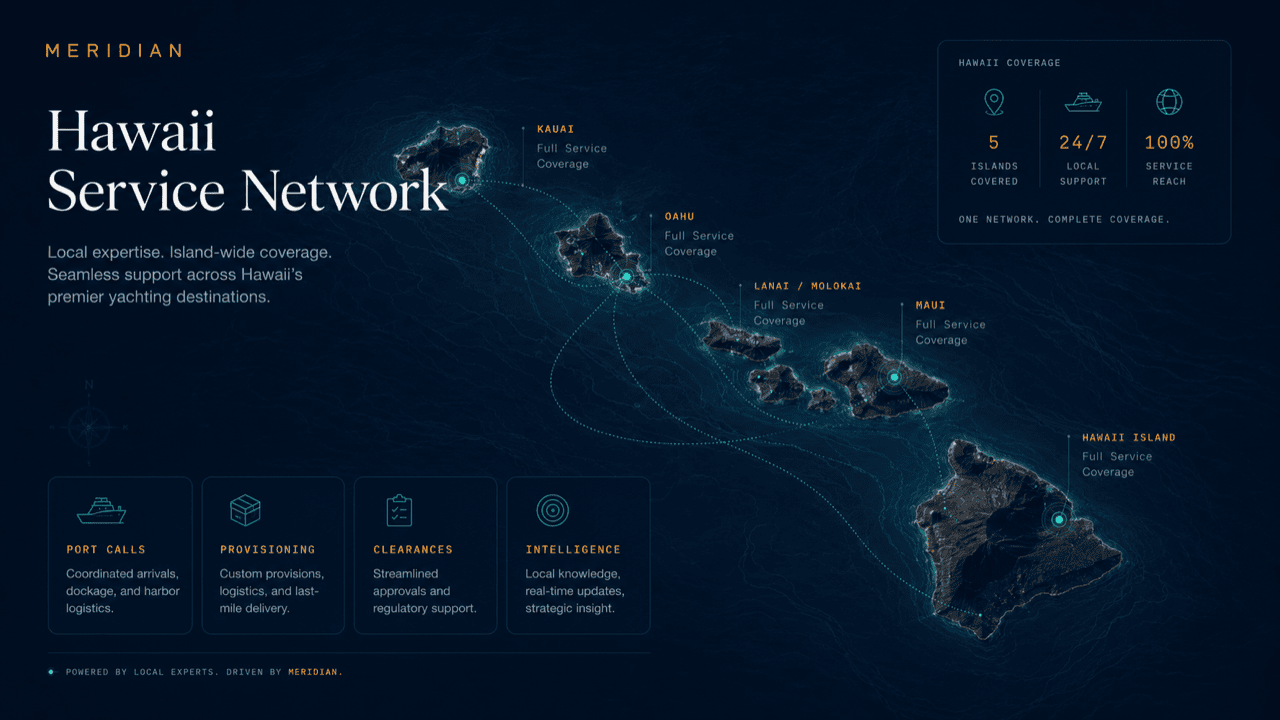
MERIDIAN coordinates service across Hawaii’s harbors, marinas, anchorages, and vessel programs — adapted to how your operation actually works.
Deployment layers
These cards can become future market modules, service-area pages, or CRM routing rules.
Scheduled operators get a stable system for recurring service delivery.
Conflicts and holds are visible early enough to adjust.
Grouped services reduce repetitive calls and vendor movement.
The day closes with a clear movement and exception record.
Day-to-day reality
A working fleet's coverage question is rarely abstract. It is whether the pump-out can happen at the harbor where the vessel actually ends its day, whether a notice posted at one stop reaches the crews it affects, and who fulfills a request when a vessel is away from its home dock.
On this version, every location on your schedule — home berth, outstation, or occasional stop — carries its own intake, fulfillment paths, and notices, while the operating file stays one file across all of them.
Requests route to where the vessel will be, not where the office is.
Worked example
A charter vessel runs a day itinerary with three stops. Here is how coverage behaves at each leg.
Fuel and provisioning were fulfilled overnight through the home harbor's service paths. The departure checks out against the day's schedule and any active local notices.
The mid-day stop carries a posted local notice. It attached itself to the itinerary when the leg was planned, so the crew saw it the day before — not on arrival.
The slip request routed to that marina's intake when the itinerary was set. Water and waste needs for the layover queue against the visiting berth, fulfilled by that location's paths.
A schedule change back at the home harbor updates the return window. The change propagates to the itinerary, the guest marina's departure record, and the crew — from one edit.
Every stop's services, notices, and exceptions land in the same operating file, so the trip reads as one trip in the daily report.
Questions
Yes — intake and fulfillment are location-aware, so a request made mid-itinerary routes to the paths active at that stop, not back to the home dock.
The itinerary still tracks the stop, and requests there are flagged for manual coordination instead of silently failing to route.
Each location's configured fulfillment paths — its dock desk, vendors, or coordinating agency — receive the request with scope and berth context.
Yes — a notice posted at any stop on a planned route attaches to the affected legs and reaches the crews it concerns ahead of arrival.
Yes — vessels running the same routes inherit the same location set, and per-vessel differences are handled at the request level.
Profile routing
Because the profile is persisted, return visits continue to this role-specific structure until the visitor switches profile.
Get started
Request access to see intake, fulfillment, and notices configured for the locations on your schedule, or ask for a walkthrough. Access is reviewed and routed — guest workspaces are approved manually.