
Operational repeatability
Scheduled operators get a stable system for recurring service delivery.
Operations view
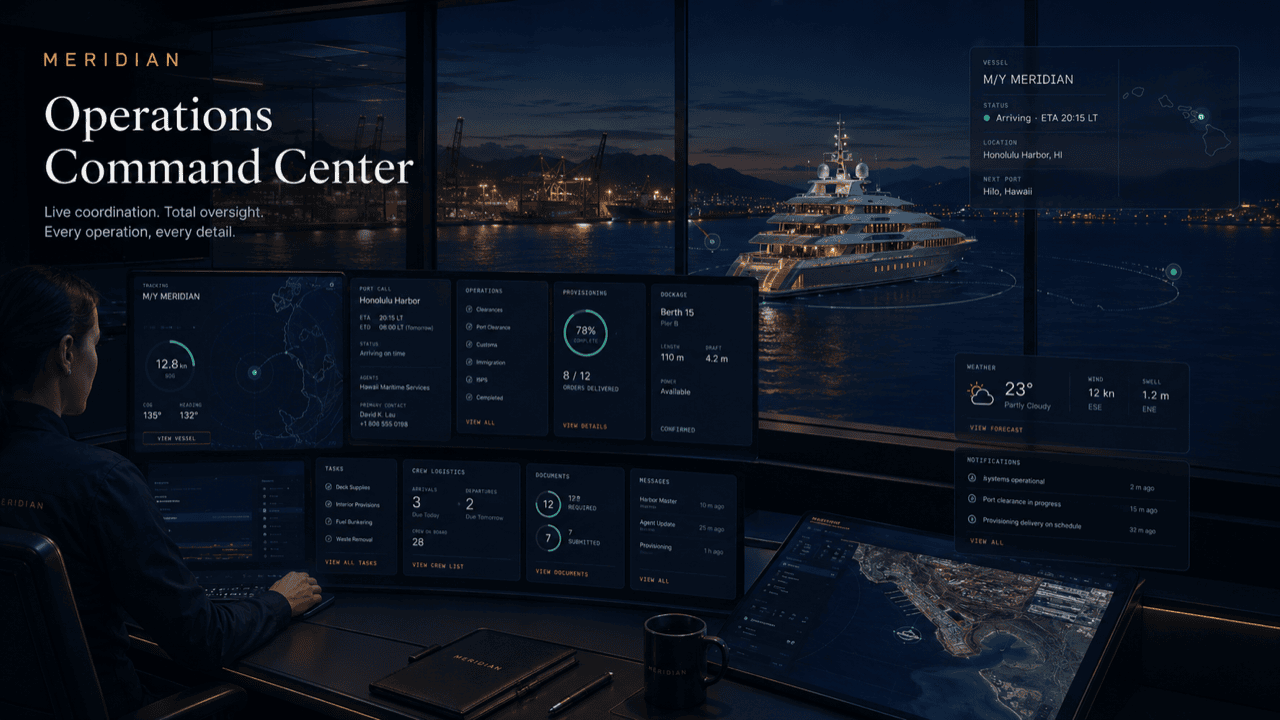
This page turns the selected role into a tailored operating-board story with metrics, queues, and practical work states specific to commercial, passenger & charter fleets.
Board logic
The same underlying platform can look like a fleet desk, principals’ portal, captain desk, harbor control view, tenant service desk, or vendor dispatch board.
Scheduled operators get a stable system for recurring service delivery.
Conflicts and holds are visible early enough to adjust.
Grouped services reduce repetitive calls and vendor movement.
The day closes with a clear movement and exception record.
Day-to-day reality
An ops view earns trust in the first ten minutes of a shift: it has to answer what moved overnight, what is holding, which services land today, and which exception will bite first — before the first radio call comes in.
For a scheduled fleet that means the board opens on today's departures, service jobs, and holds rather than a module list, and every number on it traces back to the movement, job, or notice behind it.
Metrics you can click through, not metrics you have to explain.
Live example
A charter vessel comes alongside for a two-hour turnaround between scheduled departures. This is what the ops view shows while it happens.
The arrival ticket flips to alongside as the vessel reports at the berth, and the layover clock starts running against the published next departure.
The service column shows the jobs booked against this window — fuel, pump-out, provisioning drop — each with vendor, ETA, and dock-side notes, in working order.
An inbound vessel is assigned the same berth later in the window. The conflict appears in the exceptions column with an owner and a proposed alternate — before it becomes a radio argument.
The next departure's boarding notes surface alongside the queue: passenger count, an accessibility flag, and a local notice attached to the route.
Services confirm complete, the berth conflict resolves to the alternate, and the departure ticket goes green. The whole turnaround is already in the daily movement log.
Questions
It reads from the live operating file — the same record crews, vendors, and supervisors update — so what you see is the current state of the day.
Yes, scoped by role: crew see their vessels and assignments, the dock desk sees movements and berths, and supervisors see the full picture.
They are configured per operation — weekly movements, service jobs, holds, and notice impacts are the defaults for this version, and each traces to its underlying queue.
Anything that threatens the schedule: berth conflicts, weather and port notices, holds, vendor delays, and passenger-impacting changes — each with an owner and a status.
Yes — the daily operations report summarizes movements, completions, and open exceptions from the same data, ready for handover or management review.
Get started
Request access to see the ops view configured for your schedule, vessels, and service cycles, or ask for a walkthrough. Access is reviewed and routed — guest workspaces are approved manually.