
Submit or approve
A request, approval, or trip requirement enters the principal-facing workspace.
Workflow path
The process language changes by audience, but the underlying pattern is consistent: intake, route, execute, update, and close out.
A request, approval, or trip requirement enters the principal-facing workspace.
MERIDIAN structures the request into service tasks, vendors, timing, and principal-specific details.
Principal reps see clear status, blockers, and decisions needed rather than raw task clutter.
Completed items are confirmed with concise notes, dates, and supporting evidence.
Preferences, service outcomes, and notes are retained for the next visit or trip.
Operational queues
This keeps the site focused on what visitors need to accomplish: request service, assign work, resolve exceptions, and keep stakeholders informed.
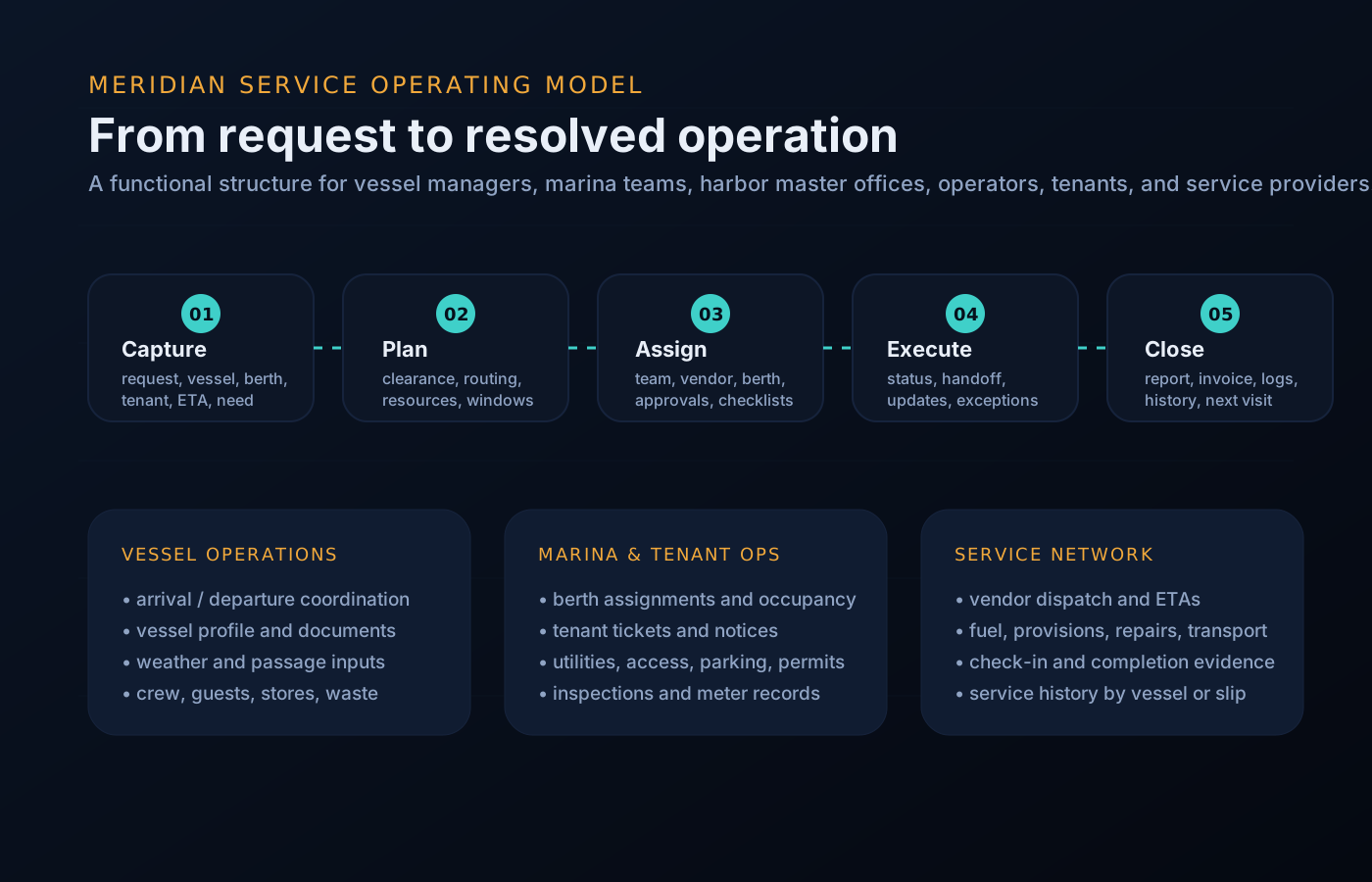
Queue preview
The same component set supports rollups for management, dock desks, tenants, and vendors.
A workflow the principal side can see is a workflow nobody has to narrate by phone. The structure does the reporting: each step leaves a record, so the story of the trip is written as it happens rather than reconstructed afterwards.
The management agency runs the steps. The principal side reads the state.
Grounded in the week
For most family-office teams, “the workflow” today is a group text, a forwarded quote, and a call to the captain to find out where things stand. Each trip re-invents the process, and each new crew member relearns it. The principals version replaces that with one repeatable path — the same intake, the same approval shape, the same close-out — so the second trip of the season runs like the tenth.
Worked example
A representative books a ten-day trip with guests aboard. Here is how that single workflow moves through the principals version.
The representative enters the trip window, guest count, and which preference profile applies. That single entry becomes the spine every task attaches to.
Berth confirmation, provisioning, interior preparation, crew status, and transport each become tracked items against the trip, with accountable owners on the management side.
An interior service quote crosses the approval threshold. It arrives in the queue with the scope, the vendor quote, and the trip it belongs to — a two-minute decision instead of a phone chase.
A delivery slips. The item turns amber on the readiness view with a note and a revised date, so the representative sees it before it becomes a departure-day surprise.
The trip goes green. After departure, completion notes, approved costs, and any new preferences are retained on the record — the starting point for the next trip.
Questions
No. The management agency and crew run the steps. The principal side sees state, approves where thresholds require it, and reads the close-out.
The affected item turns amber with a note and a revised date, and anything needing a decision moves to the approval queue. Exceptions surface — they do not hide in a thread.
Yes. Thresholds and delegation are set per operation: a representative can hold day-to-day approvals while larger decisions route to the principal or family office.
As much or as little as the operation configures. The default is the summary shape — readiness, decisions needed, watch items, and completion — with detail one level down when wanted.
The pattern is the same — intake, route, execute, update, close out — while thresholds, preference profiles, and accountable owners are set per vessel.
Get started
See how this workflow adapts to your vessel or program, or request a walkthrough tailored to your operation. Access is reviewed and routed — guest workspaces are approved manually.