
Less operational noise
Principals see what matters: readiness, approvals, watch items, and completion.
Coverage model
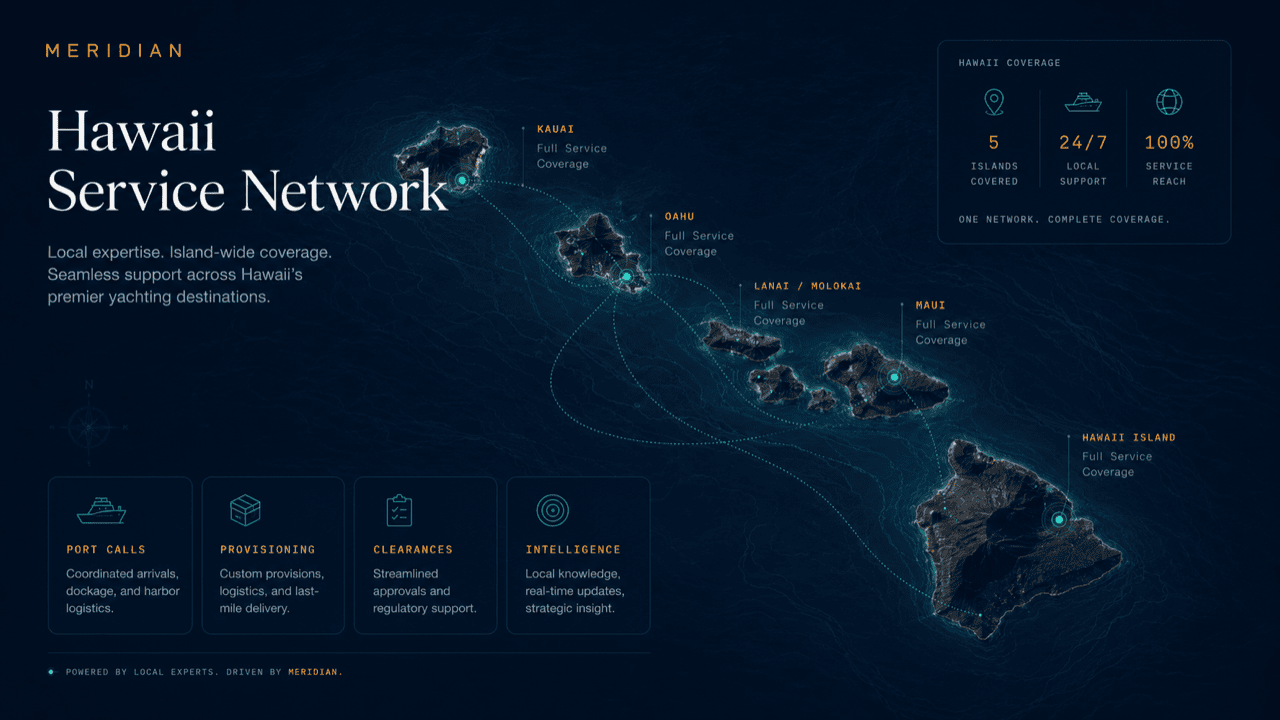
Coverage is presented as practical service reach: who can request, who fulfills, which locations are active, and what outputs are available to principals.
Hawaii-ready operations
MERIDIAN coordinates service across Hawaii’s harbors, marinas, anchorages, and vessel programs — adapted to how your operation actually works.
Deployment layers
These cards can become future market modules, service-area pages, or CRM routing rules.
Principals see what matters: readiness, approvals, watch items, and completion.
Service teams stop relearning principal requirements on each visit.
Approvals stay attached to scope, quote, vessel, and operational deadline.
The principal-side view creates a disciplined record of care and coordination.
Grounded in the season
A vessel does not stay in one place, and the people supporting it change by location — a home-berth team here, a visiting-marina office there, a provisioner who covers only one island. What principals feel when coverage is thin is not the missing vendor; it is the broken thread: requests restated from scratch, preferences re-briefed, costs arriving without context. Coverage in MERIDIAN means the operating record and its rules travel with the vessel, so each location plugs into the same thread instead of starting a new one.
Worked example
A three-stop trip — home berth, a neighbor-island marina, then an anchorage stay — seen from the principal side.
The itinerary is entered once. Each stop gets its own readiness view, and standing preferences and approval thresholds apply to all three stops automatically.
The regular team works from the existing record: provisioning drawn from the preference profile, departure services tracked against the first leg.
The management agency engages local fulfillment. Vendors see only their scoped jobs — never the itinerary or the principal’s wider context — while requests and costs land in the same record.
With no shore desk at all, coordination continues through the same queues: tender logistics, guest movements, and provisioning runs tracked like any other request.
One continuous history covers all three stops — what was requested, approved, and spent at each — instead of three unconnected paper trails.
Questions
No. MERIDIAN is the coordination layer. Fulfillment comes from the management agency, crew, and the service network they engage at each stop — coverage describes where that coordination reaches.
The record still travels with the vessel. Requests are captured and tracked the same way, and the management agency arranges fulfillment case by case rather than the thread going dark.
The operating record does; the sensitive context does not spread. Preferences and thresholds apply at every stop, while itinerary and principal details stay scoped to the roles that need them.
Each vessel carries its own record and readiness view, and the multi-vessel overview shows them side by side — useful when a family office supervises programs in more than one location.
Only roles scoped to it. Vendors see job-level scope — a time, a place, a task — not the trip plan, the guest list, or the principal’s wider affairs.
Profile routing
Because the profile is persisted, return visits continue to this role-specific structure until the visitor switches profile.
Get started
Ask how coverage would map onto your itinerary and program, or request a walkthrough tailored to your operation. Access is reviewed and routed — guest workspaces are approved manually.