
Less operational noise
Principals see what matters: readiness, approvals, watch items, and completion.
Operations view
This page turns the selected role into a tailored operating-board story with metrics, queues, and practical work states specific to principals & family offices.
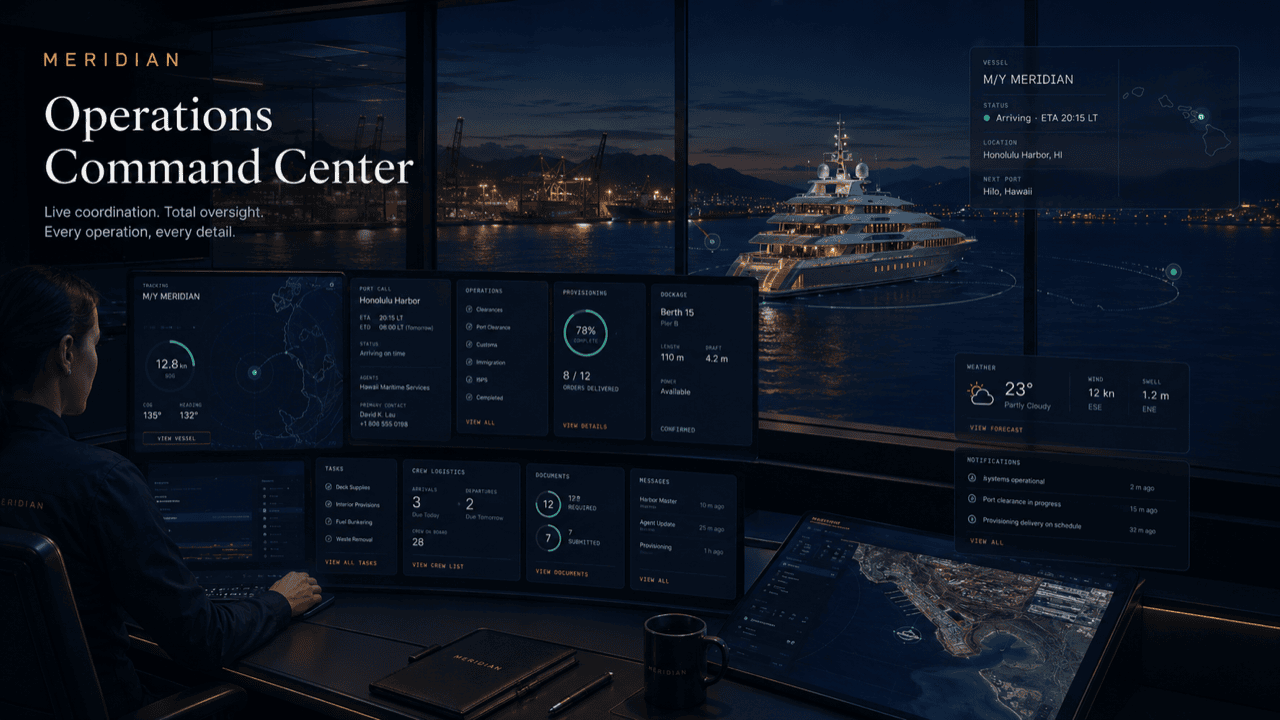
Board logic
The same underlying platform can look like a fleet desk, principal portal, captain desk, harbor control view, tenant service desk, or vendor dispatch board.
Principals see what matters: readiness, approvals, watch items, and completion.
Service teams stop relearning principal requirements on each visit.
Approvals stay attached to scope, quote, vessel, and operational deadline.
The principal-side view creates a disciplined record of care and coordination.
Grounded in practice
The principals version of the ops view is built for the thirty-second check, not the working shift. Family-office staff open it between meetings to confirm nothing is waiting on them; a representative opens it before calling the captain so the call starts from facts. The operating team keeps working its own full-detail board — this view is the same record, read at the altitude a principal actually wants.
Because it reads from the working record rather than a separately written report, the view never depends on someone remembering to send an update. When a task moves on the management side, the principal-side state moves with it.
Worked example
A one-day port call with guests boarding in the afternoon. Here is how the board reads as the day unfolds — from the principal side.
The trip card is green on berth and crew, amber on provisioning. Deliveries and interior setup show as in-progress items with accountable owners, not as message threads.
A fuel top-off reaches its budget threshold and moves into the approval queue. The representative approves it from the board with the quote and the visit in view.
Provisioning closes out and the trip card goes fully green. Guest transport shows confirmed, with one concierge item still open until the venue confirms.
The pre-boarding glance shows readiness green and nothing awaiting approval — the whole check takes less time than a single phone call.
Completed items carry their notes and costs into the service history, and the day’s record is already in the shape the next principal report needs.
Questions
It is the same operating record, presented at a different altitude. The management side works full task detail; the principal side reads readiness, approvals, watch items, and completion.
The view reads directly from the working record — when the operating team moves an item, the principal-side state changes with it, rather than waiting for someone to write an update.
No. Most principal-side users glance at it around trips and approvals. Anything that needs a decision waits visibly in the queue until it is handled.
No — the board above is a sample mockup with illustrative counts, shown to demonstrate the layout. A live board shows only your operation’s actual state.
Yes. Each person is scoped by role — a representative might hold approvals and full status while the principal sees only the readiness summary and reports.
Get started
Request a walkthrough of the principals ops view shaped to your vessel or program. Access is reviewed and routed — guest workspaces are approved manually.