
Current MERIDIAN site version: Principals & Family OfficesChange operating profile

principal visibility

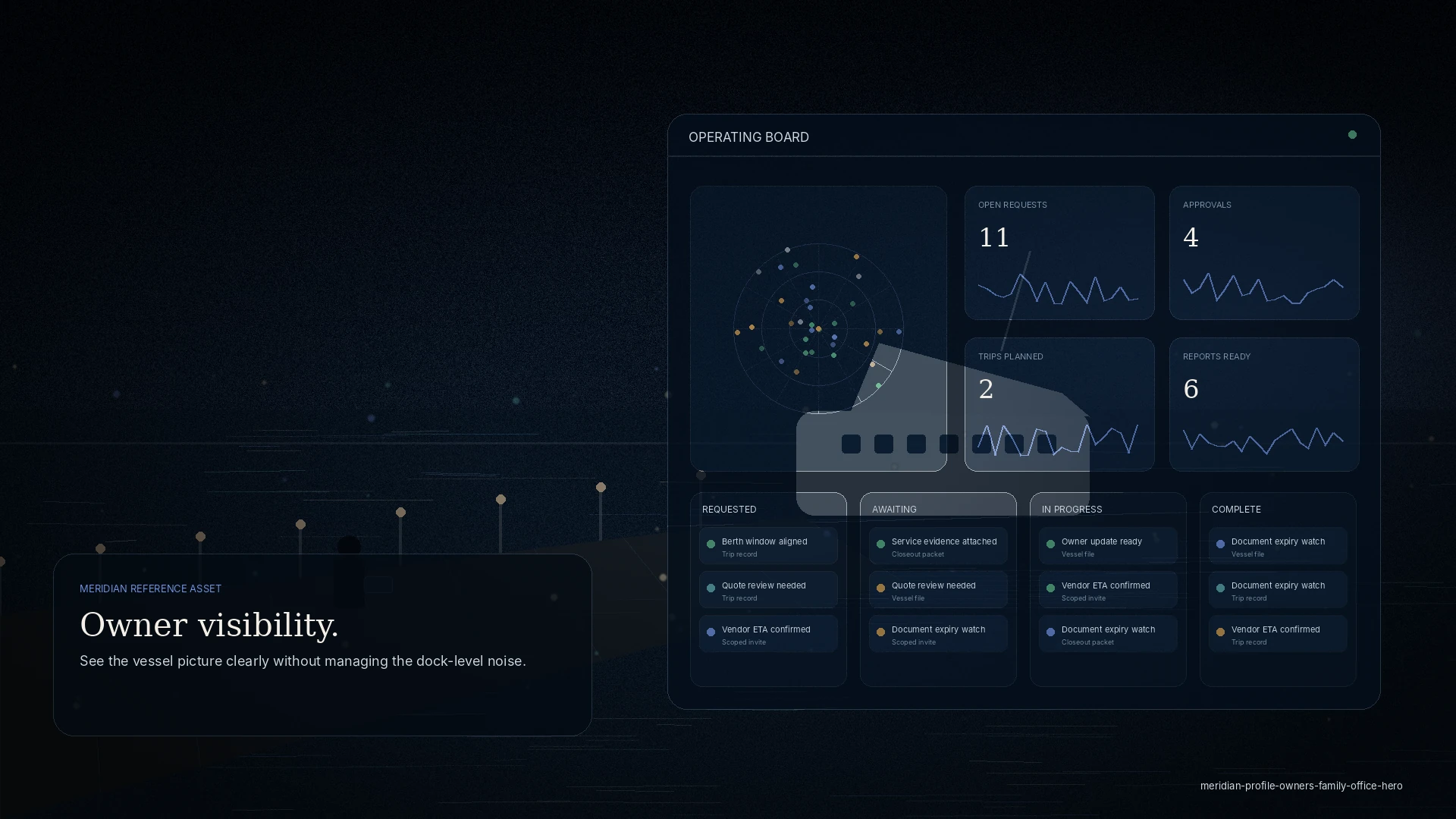
See the vessel picture clearly without managing the dock-level noise.

A MERIDIAN site version for principals, principal representatives, and family-office teams that need clear service status, trip readiness, approvals, preferences, financial handoffs, and concierge-level coordination across one or more vessels.

  • Trip readiness
  • Approvals
  • Principal preferences
  • Service status
  • Executive reporting
AudiencePrincipals, principal representatives, family-office staff, asset managers
Site versionPrincipals & Family Offices
Principals operating board
Principal Visibility

Principals, principal representatives, family-office staff, asset managers

Sample board
Open requests11
Approvals4
Trips planned2
Reports ready6

Requested 02

Principal arrivalGround transport and provisions
Guest preferenceCabin setup update

Awaiting Approval 02

Interior serviceQuote review
Fuel top-offBudget threshold reached

In Progress 02

Trip readinessCrew, berth, stores aligned
Concierge requestRestaurant confirmation pending

Complete 02

Status reportDelivered to representative
Preference updateSaved to profile
3vessels watched
11open requests
4approvals needed
2upcoming trips

Tailored service story

Services organized around this audience’s actual work.

This version keeps the navigation functional and service-led, while adapting language, metrics, tasks, and operating examples to principals.

Principal

Principal request routing

Convert principal, guest, or representative requests into operational tasks with accountable owners and completion notes.

Trip

Trip readiness view

Summarize itinerary, berth status, provisions, guest requirements, crew readiness, weather, and unresolved blockers.

Preference

Preference record

Keep vessel and principal preferences accessible to management teams, captains, and service coordinators.

Approval

Approval queue

Review quotes, scope changes, service upgrades, high-value orders, or exception decisions before work proceeds.

Common pain points

What gets in the way today.

Too much dock-level noise

The updates that reach you are either too much detail or not enough.

Preferences reset each season

What the vessel and crew know about the principal is not written down anywhere durable.

Approvals without context

You approve a number without the visit behind it.

Your command deck

What you can see, and what you can do.

MERIDIAN is permissioned by role. You see your operation, and only your operation.

What you can see

  • Trip readiness across your vessel or vessels
  • Approvals waiting on you
  • Service status and history
  • A clean principal-facing report

What you can request, approve, or review

  • Approve or decline spend, with the visit in view
  • Record preferences that carry forward
  • Request a briefing or a trip-readiness view
  • Review cost and service history

Working together

How you interact with other roles.

Managers & agencies

They run the detail; you see the picture.

Captains

Preferences and readiness stay connected across the season.

Vendors

Scoped to the job — never to your wider affairs.

Example workflow

A typical run, start to finish.

See readiness

Trip and vessel readiness at a glance.

Approve with context

The visit and cost behind each approval.

Set preferences

Recorded once, carried forward.

Get the briefing

A clean, current picture on request.

Privacy & permissioning

Principal, itinerary, and finance context stays private and is never exposed to local partners unless you share it.

Guest and invited access is approval-gated and scoped — never open public signup.

Discretion

Scoped access, by design.

Everyone invited into your operation sees only what their role needs. The operating file stays yours.

Questions

Frequently asked.

Will I be managing the dock detail?

No. The point is the opposite — you see readiness, approvals, and cost without the operational noise.

Can my representative act for me?

Yes — a principal representative or family-office staff can be scoped to act on your behalf.

How is my privacy protected?

Access is role-based; sensitive principal, itinerary, and finance context is not exposed to agents or vendors.

Do preferences carry between vessels and seasons?

Yes — recorded once, carried forward.

Get started

See the vessel picture, clearly.

See how MERIDIAN adapts to your workflows, or request a walkthrough tailored to your operation. Access is reviewed and routed — guest workspaces are approved manually.