
Receive tenant or dock request
A tenant, visitor, staff member, or vendor opens a service need.
Workflow path
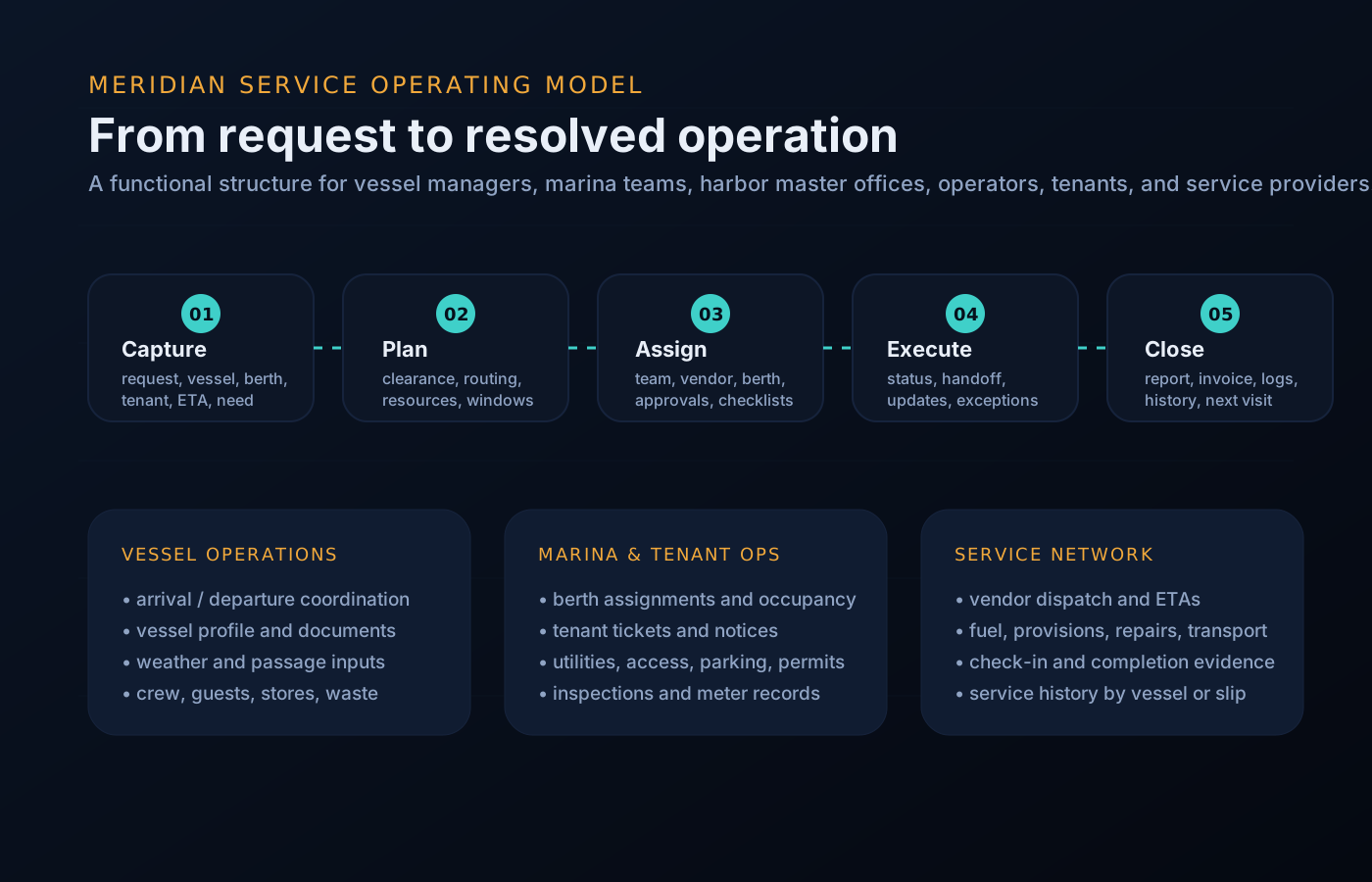
The process language changes by audience, but the underlying pattern is consistent: intake, route, execute, update, and close out.
A tenant, visitor, staff member, or vendor opens a service need.
The request is tagged by slip, service category, priority, and responsible team.
Staff or vendor gets the scope, access notes, ETA, and required evidence.
Tenant receives status changes, appointment windows, and completion notes.
Management reviews trends, open backlog, occupancy, and service performance.
Operational queues
This keeps the site focused on what visitors need to accomplish: request service, assign work, resolve exceptions, and keep stakeholders informed.
Queue preview
The same component set supports rollups for management, dock desks, tenants, and vendors.
Why states matter
A marina request rarely stays with one person. It moves from the desk to the dockmaster to maintenance to a vendor and back to the tenant — and every handoff is a place where status used to get lost.
The workflow states above exist so the handoffs are explicit. When a ticket is assigned, someone owns it. When it is scheduled, the tenant can see the window. When it is closed, evidence is attached. Your team stops fielding “any word on my request?” because the answer is already visible to the person asking.
Tenant desk, dockmaster, maintenance, and notices all run the same intake, route, execute, update, and close-out sequence, so staff can cover for each other without relearning a process.
Vendors and marina tenants see scoped slices of the same workflow — never each other’s.
Worked example
One workflow narrated step by step — from the first inquiry to the departure record.
A captain requests a multi-night transient stay. The intake collects vessel particulars — LOA, beam, draft, power requirement — plus stay dates and services needed.
The dockmaster reviews the request against the slip and occupancy view: which berths fit the vessel, which are reserved or blocked, and what power is available.
A berth is assigned and arrival instructions go out — tie-up notes, check-in steps, access details. The assignment blocks the slip for the stay window.
On arrival, utilities are connected and metered. Services requested at intake — pump-out, water, waste — become scheduled work orders tied to the visit.
New requests from the vessel route through the same desk as resident tickets. The crew sees status on their own items; the desk sees everything open against that berth.
Meters close out, the slip returns to available, and the visit record — services, work orders, notes — stays on file for the next time the vessel calls.
Questions
The pattern is consistent — intake, route, execute, update, close — but categories, routing rules, and required evidence adapt per queue, so a meter read and a dock repair each ask for what they actually need.
The requester sees the status relevant to them — received, scheduled, in progress, complete. Internal routing, staff notes, and vendor details stay internal.
Open items age visibly in their queue and surface in manager reporting as backlog, so a stalled work order is a line on the board — not a surprise at renewal time.
Yes — a single intake can fan out. A dock-wide utility fault can open one ticket per affected pedestal while keeping the parent request as the tenant-facing status.
A workflow step can publish a targeted notice — a scheduled water shutoff, an access change, a maintenance window — to exactly the slips and tenants the work affects.
Get started
Walk through intake-to-close with your own docks, teams, and vendors in mind. Access is reviewed and routed — guest workspaces are approved manually.