
A stronger front desk
Tenant requests become trackable work instead of scattered calls and texts.
Operations view
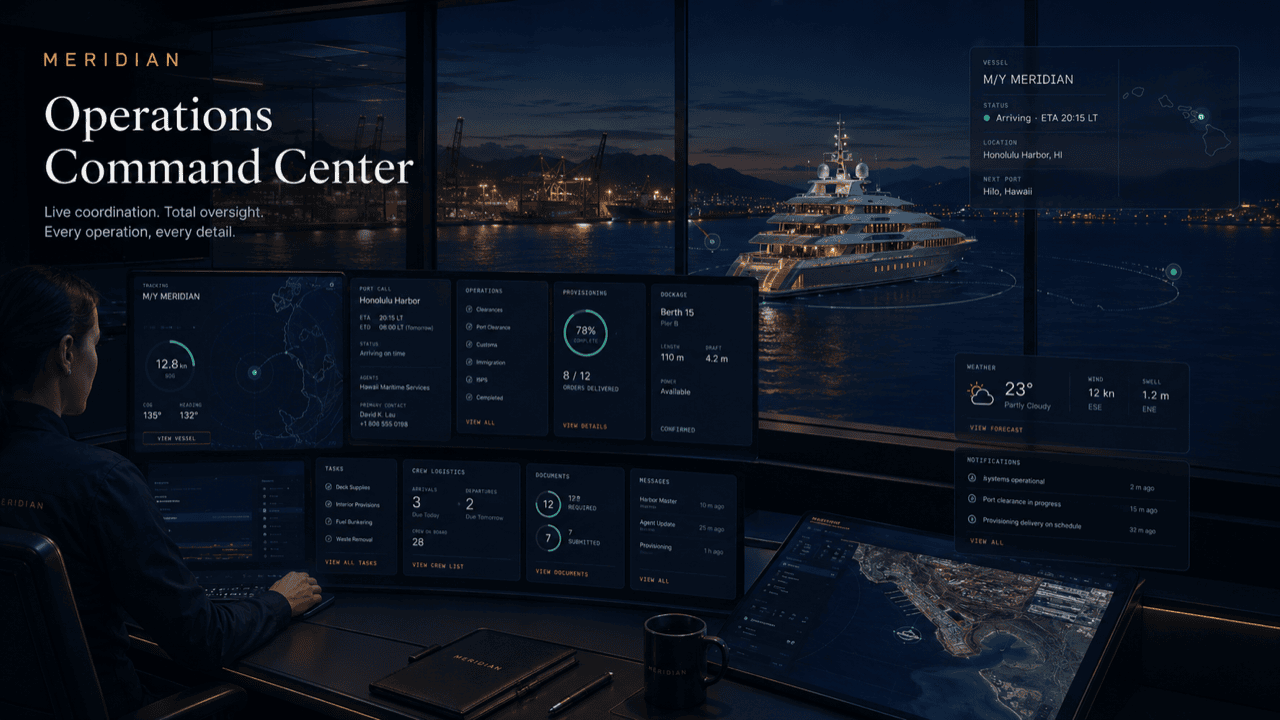
This page turns the selected role into a tailored operating-board story with metrics, queues, and practical work states specific to marina operators & property teams.
Board logic
The same underlying platform can look like a fleet desk, owner portal, captain desk, harbor control view, tenant service desk, or vendor dispatch board.
Tenant requests become trackable work instead of scattered calls and texts.
Slips, work orders, utilities, vendors, and notices are connected.
Tenants get visibility into status, timing, and completion.
The marina sees service load, response time, and recurring issues.
The first screen
Before the first walk of the docks, the ops view already shows what carried over from yesterday, what is due today, and what is arriving. It replaces the whiteboard, the radio recap, and the stack of notes the morning shift used to reconcile.
Each column is a working queue, not a report. The tenant desk column is the front desk’s day. The dockmaster column holds berth fits and meter reads. Maintenance shows work orders by status and access window. Notices shows what has been published to which slips — and what is still a draft. A general manager reads the same board at a glance; a dockmaster works it ticket by ticket.
The same underlying operation renders for each role at its own altitude: the property team sees the whole board, staff see their queues, and marina tenants and service vendors see only their own items.
The board does not need a status meeting to stay current — the board is the status.
Live example
A transient vessel is due alongside this afternoon. Here is how the board tracks the day as it unfolds.
The arrivals metric shows the inbound visit. The dockmaster column holds the berth-fit card — LOA and power checked, slip assigned, arrival window confirmed.
Work orders spawn for the visit: a pedestal check on the assigned slip, a water connection, a pump-out slot. A notice drafts to neighboring slips about the arrival window.
The arrival card flips to alongside. Utilities connect and metering starts. Any snag — a breaker fault at the pedestal — becomes a ticket on the same board, visible next to the visit.
Crew requests route through the tenant desk column, scoped to the visiting vessel. The desk sees them alongside resident tickets; the crew sees only their own.
Meters close, work orders attached to the visit resolve with evidence, and the slip returns to available on the occupancy view. The day ends with the board clean — or honestly showing what is not.
Questions
Live — the cards are the actual work items. Updating a ticket updates the board; there is no separate status document to keep in sync.
Yes — views are role-scoped. A dockmaster can work from the dockmaster queue alone, while the general manager sees every column with the same live data.
Only their own items — a tenant sees their requests and notices that affect their slip; a vendor sees assigned work orders. Neither sees the internal board.
Yes — multi-property operators can roll their locations up through Destination Network while each property keeps its own working board.
Closed items keep their scope, timing, and completion evidence, and feed manager reporting — so the board stays clean without losing the record.
Get started
See the ops view arranged around your slips, staff, and service load. Access is reviewed and routed — guest workspaces are approved manually.